
NEWS
Windows 11’s Low Latency Profile Still Hides a CPU Burst
Windows 11’s Low Latency Profile is a one-to-three-second CPU spike Microsoft staged from May through August, with no Settings toggle and a live battery argument.

Windows 11’s Low Latency Profile spikes the CPU for one to three seconds when you open Start, Search, or an app. Microsoft shipped the code in the May 26, 2026 optional update KB5089573 and still offers no Settings toggle.
The official notes never used that name. They buried the change under General Performance, then turned the burst on in stages through June and the August 11, 2026 security update, which is when everyday apps started catching the same spike as the shell.
Microsoft Buried the Speed Fix in the Changelog
The May 26 optional preview for 24H2 and 25H2 moved those trains to OS builds 26200.8524 and 26100.8524. In the highlights, Microsoft wrote one sentence: this update accelerates app launch and core shell experiences such as Start menu, Search, and Action Center.
Watchers had already named the mechanism Low Latency Profile, or LLP, from Insider builds. Microsoft’s public notes did not. That gap is why a lot of PCs installed the preview and felt nothing. The binary can sit on disk while a gradual rollout keeps the switch off.
Those are the same first Low Latency Profile rollout notes from late May, when the preview was still optional and the burst was easy to miss. The feature is part of the 2026 quality push often called Windows K2, which Microsoft framed in public as a commitment to Windows quality rather than a named scheduler product.
THE MAY PACKET AT A GLANCE
- Official line: Accelerate app launch and Start, Search, and Action Center, with no feature name and no user switch.
- Tester figures: Up to 70% faster Start, context menus, and flyouts, and up to 40% faster inbox app launches in Insider runs.
- Who it targets: Windows 11 24H2 and 25H2 only, delivered first as an optional preview, then inside later security updates.
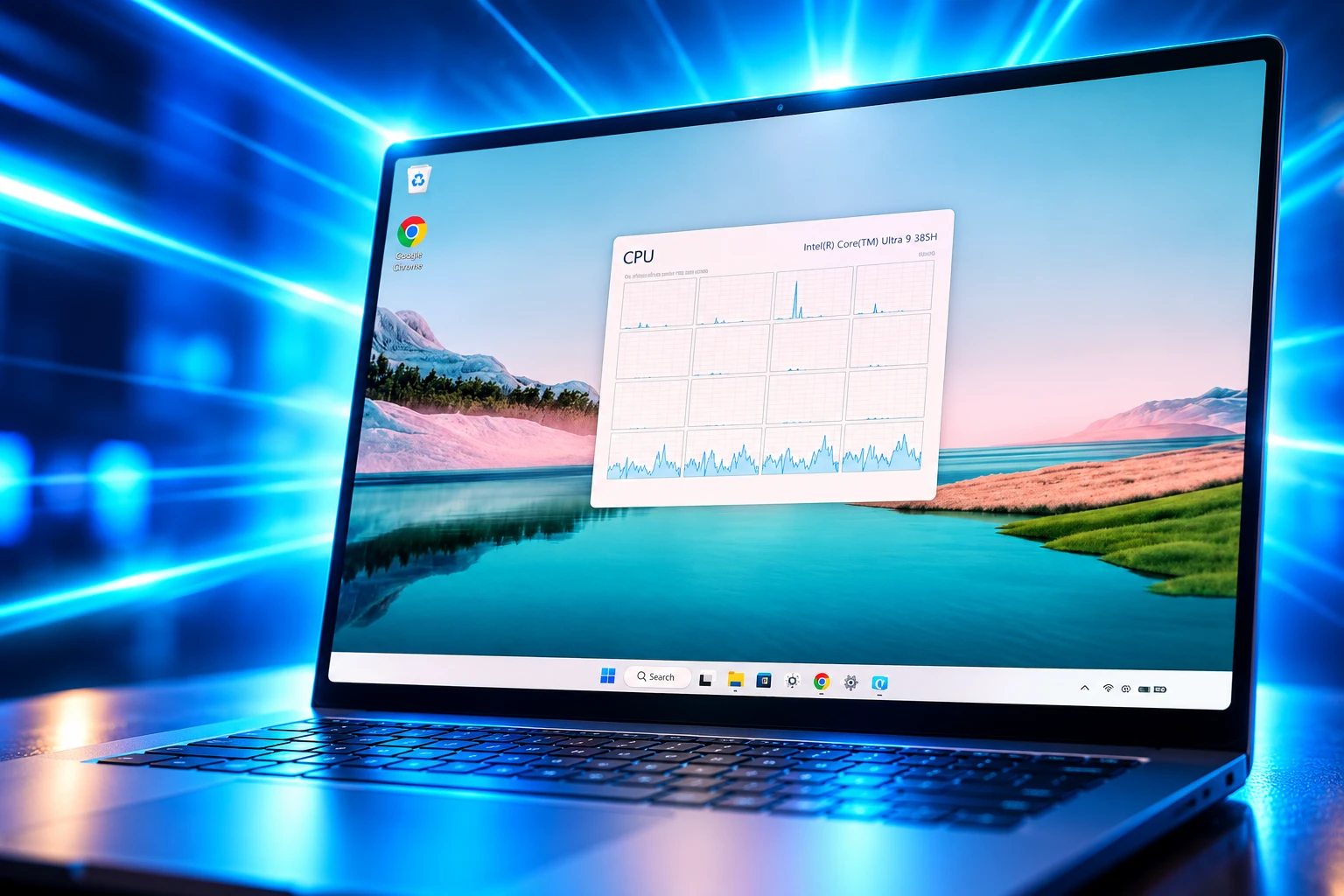
- How you know: Task Manager’s CPU clock jumps toward maximum on a click, then falls back; utilization often barely moves.
The 70 and 40 percent figures did not come from that support article. They came from Insider testing on the same hardware with the profile on and off, and they are capped as “up to” for a reason. A fast desktop already near its boost clock has less room to move than a laptop stuck in a quiet power plan.
A Short Burst, Then a Deep Idle
Windows has long ramped clock speed as load rose. That climb is why a Start click on a quiet laptop can sit a beat behind the finger. LLP skips the climb. When the system sees a high-priority interaction, it drives the processor to its maximum frequency for one to three seconds, finishes the paint and launch work, and drops back toward idle.
The idea is race to sleep. A chip that finishes fast and sleeps deep can use less energy than one that idles at a middling clock for longer, which is why phones, macOS, and Linux already behave this way. Microsoft VP Scott Hanselman said the same thing in May when people called the burst a cheat.
WHAT THE BURST TOUCHES
| Surface | When it started firing | What you see |
|---|---|---|
| Start, Search, Action Center, context menus | May 26 preview code, June 9 security train | Flyouts appear with less lag |
| Inbox and Win32 apps | August 11, 2026 security update | Windows come up faster after the click |
| A Settings switch | Never shipped | No control, only a silent policy |
The Windows watcher phantomofearth published the feature IDs while the code was still in preview: 60716524 for LowLatencyProfile and 61391826 for LowLatencyProfileForApplicationLaunch. Testers later bundled those with 58989092 and 48433719 when they forced the whole set on.
Why the Start Menu Felt a Beat Behind
The complaint was never that Windows 11 lacked silicon. Mid-range laptops with current chips still felt a half-step late on Start, Search, right-click menus, and Action Center, the surfaces people hit all day. Power policy was holding clocks down until the scheduler decided the click was real work.
A side-by-side run on two Lenovo Yoga laptops, both with Intel Core Ultra 7 258V chips and 16GB of RAM, made that visible. LLP on one machine and off on the other, same apps, same Start clicks, same right-click menus. The laptop with the profile on was faster in every test, as if those apps were already sitting in memory.
Critics called that a lazy substitute for slimmer code. Hanselman pushed back on X, saying modern systems temporarily boost the CPU and prioritize interactive tasks, and that macOS and Linux already do it. He also wrote that everything looks like a conspiracy when you do not know how the machines work.
https://x.com/shanselman/status/2053210825301901434
The open question his posts did not answer is why Windows was not already doing this for its own shell. For a couple of years the company’s public energy sat on Copilot+ PCs and AI branding. Race-to-sleep scheduling for Start was ordinary work that arrived late.
The Security Update Did Not Flip the Feature
Installing the May preview did not turn LLP on. Microsoft split that release into a gradual rollout and a normal rollout, so availability varied by device. There is still no toggle. Once the company enables the profile on a PC, it runs in the background.
June 9, 2026 put the same payload on the monthly security train as KB5094126, OS builds 26200.8655 and 26100.8655. That is the point where most 24H2 and 25H2 PCs received the code without hunting Optional updates. It was not the point where every PC got the burst. Controlled feature rollout kept the switch in Microsoft’s hands.
THE ROLL FROM MAY TO AUGUST
- May 26, 2026: Microsoft ships KB5089573 as an optional preview with the General Performance line and the LLP code behind a gradual rollout.
- June 9, 2026: KB5094126 folds that preview into the security update for 24H2 and 25H2, still without a Settings control.
- August 11, 2026: KB5121003, OS builds 26200.9168 and 26100.9168, starts applying the same frequency spike to app launches, not only shell flyouts.
If Task Manager’s clock graph still sits low when you open Start after those updates, the binary is present and the policy is not. That is the design, not a failed install.
Inbox Apps Finally Get the Same Spike
Shell flyouts were the May and June story. App launch was in the design and in those Insider percentages, but it did not fire reliably on retail PCs at first. The August 11 security update for both versions is when testers saw the burst attach to ordinary programs.
A before-and-after pass on an Intel Core i5-13420H laptop, 4 performance cores and 4 efficiency cores, showed P-cores jumping toward their 4.6GHz ceiling and E-cores climbing past 2GHz the moment an app opened. The same machine, same apps, after KB5121003, with clocks that had stayed lower on the click before the patch.
APPS IN THAT BEFORE-AND-AFTER RUN
- Light inbox tools: Notepad, Calculator, and the Weather app came up faster once the spike was attached to launches.
- Everyday third-party: Chrome, VLC, and PowerPoint showed the same clock jump and a shorter wait to a usable window.
- Heavy storefront: Epic Games Store still took seconds to fill its page, but the first window arrived sooner than it had on the June-era shell-only burst.
Low-end PCs and 8GB machines feel this more than a desktop that already boosts on any load. A fast chip sitting on AC power was never the stuck case. The stuck case was a laptop in a balanced plan that treated a Start click like background work.
Where the Battery Argument Still Splits
The fear that followed the May leaks was simple: max clocks on every click must cook the chip and kill the pack. Hanselman and other engineers said the opposite, because the burst is short and the sleep that follows can be deeper. Independent tests did not land in one place.
WHERE EXPERTS DISAGREE
- Scott Hanselman, Microsoft VP: Short boosts are how modern operating systems keep interactive work fast, and on ARM the power-state hops happen in microseconds, so the spike and the return to sleep are cheaper than on older x86 designs.
- The two-Yoga laptop test: Spiking the CPU on every interaction uses more power and can add heat, with a likely battery hit on a thin laptop and less of a cost on a desktop.
- HWiNFO sessions after the June patch: Clock spikes showed up without a matching jump in utilization, and those runs found no measurable change in pack drain or surface temperature while flyouts were hammered.
The split is less mysterious if you watch the right meter. Utilization is how much work the cores are doing. Frequency is how fast they tick while they do it. LLP is a frequency policy. A Start menu that was waiting on a slow clock can finish without turning the machine into a compile job, which is why one camp saw 96 percent utilization on an Edge launch in early tests and another camp later said utilization barely moved on shell flyouts.
Treat laptop claims as unsettled. A desktop on the wall does not care. A fanless tablet might. Microsoft still will not expose a switch so you can pick.
Force It With ViveTool if Microsoft Has Not
If the August patch is installed and Start still feels late, the remaining path is unofficial. ViveTool, the community tool that flips hidden Windows feature IDs, is how testers turned LLP on during the preview. Microsoft does not support that path, and a bad ID list can turn on more than you meant to touch.
HOW TO FORCE LOW LATENCY PROFILE
- Install the code: On 24H2 or 25H2, take KB5089573 or any later cumulative that superseded it, including KB5094126 and KB5121003, then reboot.
- Get the tool: Download a current build from the ViveTool releases on GitHub, extract it to a folder you can type, and open Terminal as administrator.
- Flip the IDs: Run vivetool /enable /id:58989092,60716524,48433719,61391826 and restart. Several testers found 58989092 enough for the core boost; the longer list is what they used when app launch still sat dark.
- Confirm the spike: Open Task Manager’s Performance view and watch CPU speed, not the utilization bar, while you hit Start, Search, a right-click, and a cold app.
If the clocks jump and fall, the profile is live. If they do not, you are still on Microsoft’s gradual schedule, or the IDs do not match that build. Leave the tool alone unless you are willing to undo the flags the same way you set them.
Shared Audio, NPU Columns, and a Two-Character Search
LLP was the change people argued about, but KB5089573 was a fat optional preview. Shared Audio lets two Bluetooth LE Audio devices play the same stream from one PC, started from Quick settings. Task Manager gained optional NPU and NPU Engine columns, plus NPU dedicated and shared memory on the Details page, so Copilot+ hardware finally shows neural-engine load next to CPU and GPU.
Windows Search started returning and ranking files after two characters. Multi-app camera access let two programs share one camera, with a Group Policy to lock that or drop to a basic camera mode. Windows Hello face or fingerprint became the default on the lock screen when those methods were set up, even if the last sign-in used something else, until a PIN was used three times in a row.
The Store section of the same notes listed underlying changes that improve download performance and bandwidth use, in the same fight as the Microsoft Store download speed fix. File Explorer reliability work in that preview sits next to the separate faster bulk file deletion in Explorer that landed in later servicing. The preview also fixed install error 0x800f0922 on machines whose EFI system partition had 10 MB or less free after the May security update.
None of those items got a Settings page labeled Low Latency Profile. The burst that makes Start feel current is still a policy Microsoft turns on when it wants to, which is why a PC on September’s cumulative can feel like May or like August depending on a flag you cannot see.
If you want to know which one you have, skip the changelog poetry and watch the clock graph. A Start click that slams frequency for one to three seconds and then lets the chip sleep is the profile running. A Start click that climbs in place is the old policy, still waiting on Microsoft’s silent switch.

Windows 11 26H2 Turns Settings Backup On by Default

The Gears 2 PC Port Epic Refused to Ship

Ghost Recon Wildlands Returns at 4K as a Catalog Product

Waterpark Simulator Keeps the $12.99 Price After 1.0

Nurix Puts NuPlay on Microsoft Marketplace to Reach Azure Buyers

Warzone Leaves Xbox One and PS4 After Season 06

Microsoft AI Was Set Free to Build Its Own Frontier

Microsoft IQ Turns Workplace Data Into a Metered Agent Brain

Xbox Games Showcase 2026 Split the Catalog in Two

Nadella Banned Addiction Talk While Scout Kept Heartbeat
-
 NEWS5 months ago
Warzone Leaves Xbox One and PS4 After Season 06
-
 NEWS5 months ago
Microsoft AI Was Set Free to Build Its Own Frontier
-
 MICROSOFT 3655 months ago
Microsoft IQ Turns Workplace Data Into a Metered Agent Brain
-
 NEWS5 months ago
Xbox Games Showcase 2026 Split the Catalog in Two
-
 MICROSOFT 3655 months ago
Nadella Banned Addiction Talk While Scout Kept Heartbeat
-

 NEWS5 months ago
Modern Warfare 4 Splits Its Audience Before the October Launch
-

 NEWS5 months ago
Infinity Ward Bets Modern Warfare 4 on a Paid DMZ
-

 NEWS5 months ago
Dragonwilds Hits Xbox, but Steam Saves Stay Put