
NEWS
Vogel’s Owns the Dongle in AVer’s New BYOM Kit
Vogel’s, owner of Marmitek since 2017, is pairing a Stream 4K dongle with AVer cameras so huddle rooms skip a Teams Room PC.

AVer Information Europe B.V. said on June 16, 2026 that it would pair its cameras with Marmitek wireless presentation gear so a laptop can run the meeting and still use the room’s camera, mics, and display. The release names the AVer VC520 Pro3 and AVer video bars, and it puts the hook in a Marmitek Stream 4K dongle plus a USB run into the AVer kit.
The names on the page are AVer and Marmitek. The voice on the quote is Vogel’s. That is the part the wire copy left on the table.
AVer Europe Stitched a Wireless BYOM Kit
From Rotterdam, AVer Europe framed the work as a Bring Your Own Meeting setup for huddle rooms and larger collaboration spaces. A user joins Microsoft Teams, Zoom, Google Meet, or another UC client on a personal PC, then picks up the room’s camera and audio without a room computer in the path.
Jose Rincon, Head of Product Management and Customer Success at AVer Europe, said meeting spaces have to be ready for any kind of collaboration. David Peñalver, General Manager of Vogel’s Products for Iberia, spoke first in the same release, and he talked about plug-and-play gear, low latency, and fewer integration headaches.
Today’s corporate environments require truly plug-and-play solutions, where everything works seamlessly, with low latency and no complexity in device integration, to ensure a smooth user experience.
David Peñalver, General Manager of Vogel’s Products for Iberia, AVer-Marmitek announcement
AVer’s own about text puts its hardware in education, business, healthcare, and pro AV, and it claims deployments in over 1 million classrooms across Europe. Marmitek’s about text starts in HDMI distribution and signal extension and now lists extenders, AV-over-IP, and wireless presentation boxes such as Stream 4K.
AVer Europe posted a five-minute walkthrough of the joint setup on its YouTube channel, showing the dongle, the display, and the camera as one room rather than three catalogs.
Vogel’s Has Owned Marmitek Since 2017
Peñalver does not work for AVer. He runs Vogel’s Products in Iberia, the Dutch mount maker that bought Marmitek on June 9, 2017 and kept the smaller brand alive as its own label. Both companies sit in Eindhoven. Vogel’s dates to 1973, when Harry Vogels started hanging speakers; Marmitek dates to 1996.
Gerdi Vogels, then as now CEO of Vogel’s, called the purchase an expansion that complemented the mount business and opened Marmitek to Vogel’s distribution. Arthur van Horssen, Marmitek’s sales and marketing director at the time, said the deal would push a home-entertainment specialist into new markets.
Six months before the BYOM release, AVer Europe and Vogel’s already had a European mount partnership. On December 10, 2025, AVer said Vogel’s mounts would be designed around AVer cameras and video bars, and the two brands opened a joint showroom in Barcelona. Peñalver praised that tie-up too. The June kit is the electronics half of a stack that started with brackets.
HOW THE DUTCH STACK WAS ASSEMBLED
- 1973: Harry Vogels starts the mount business in Eindhoven.
- 1996: Marmitek begins as a Dutch audio and video accessories brand.
- June 9, 2017: Vogel’s acquires Marmitek and keeps it as a separate company.
- December 10, 2025: AVer Europe and Vogel’s agree to match mounts to AVer cameras and open a Barcelona showroom.
- April 9, 2026: AVer lists the HUB30 and UE1 as Barco ClickShare compatible peripherals.
- June 16, 2026: AVer Europe and Marmitek announce the BYOM room kit.
Installers who already hang AVer bars on Vogel’s metal can now quote a Marmitek dongle from the same family. The press release never says that. The org chart does.
The Dongle Treats the Room as USB Gear
The June text says a user connects a PC with a Marmitek Stream 4K, the presentation box feeds the display over HDMI, and a dedicated USB port hands the AVer camera, microphones, and speakers to the laptop. Marmitek’s current 4K conferencing SKU that matches that job is Stream 4K Pro, a USB-C transmitter plus a receiver with USB ports meant for a conference camera.
On Marmitek’s EU shop the Stream 4K Pro kit listed at €679.99 includes VAT and ships with an EU plug. The shop also lists an extra transmitter at €229.99, an extra receiver at €449.99, and a kit with one extra dongle at €899.99. The receiver can take PoE, so the box can hide behind a display without a wall wart if the switch can power it.
STREAM 4K PRO ON THE EU SHOP
| Item | Figure |
|---|---|
| Kit price, VAT in | €679.99 |
| Video | 4K at 60 Hz, HDMI 2.0 |
| Latency | Under 100 ms |
| Radio | 5.8 GHz, up to 50 m line of sight |
| Compression | H.265 |
| USB on the receiver | 2 x USB-A 3.2, 1 x USB-A 2.0 |
| HDMI | Two outputs, second limited to 1080p |
| Dongles / receivers | Up to 24 of each |
Marmitek’s product copy also allows split screen for four sources, AirPlay, Chromecast, DLNA, and Miracast for phones, a built-in whiteboard, and touchback from a touch display. One transmitter can feed up to 48 displays when extra receivers share a LAN. None of that needs a Teams Rooms compute.
WHAT A USER ACTUALLY DOES
- The display: The receiver is already on HDMI behind the panel.
- The camera: An AVer VC520 Pro3 or video bar is on USB into that same receiver.
- The laptop: A USB-C dongle goes in, the button is pressed, and the PC sees both the screen and the room devices.
- The call: Teams, Zoom, Meet, or another client runs on the laptop, not on a room PC.
The failure mode this kit is built around is still the last meter of cable. A wired BYOM room dies when the laptop cannot do DisplayPort Alt Mode, when the table collects adapters, or when HDMI and USB are two different leads. A 5.8 GHz dongle does not fix a bad camera, but it does remove that argument from the table.
Why the VC520 Pro3 Fits Both Paths
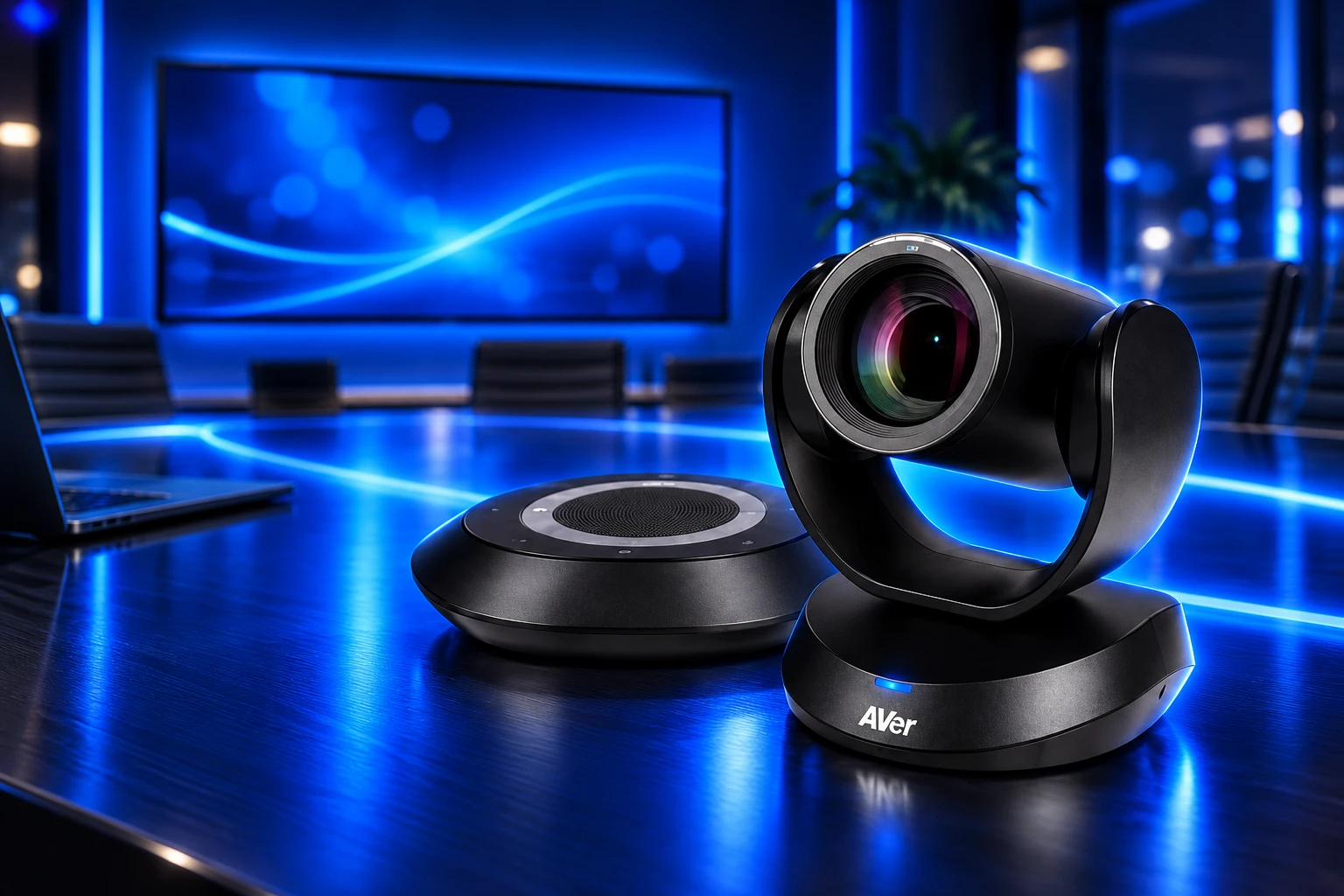
The VC520 Pro3 is a mid-to-large room PTZ with a speakerphone, a 12X optical lens, 36X total zoom including 24X lossless zoom, and an 80.5-degree diagonal field of view. AVer SmartFrame can lock onto people from up to 22 feet. The same chassis is Certified for Microsoft Teams Rooms, a status AVer Europe announced on October 29, 2024, with a single USB-C cable carrying camera and speakerphone into a Teams Room.
Albert Kooiman, Senior Director, Microsoft Teams Partner Engineering and Certification at Microsoft, said the USB-C run was as important as the AI framing. Rene Buhay, SVP Sales and Marketing at AVer Europe, called the cert a way to put AVer kit into more collaborative rooms. Twenty months later the same camera is being sold as a USB peripheral on a guest laptop.
Yet equally important is that the VC520 Pro3 is easy to deploy using a single USB-C cable for both audio and video to the Microsoft Teams Room.
Albert Kooiman, Senior Director, Microsoft Teams Partner Engineering and Certification, AVer Europe certification announcement
That dual use is the product strategy. A buyer who wants a native Teams Room can hang the Pro3 on a certified compute. A buyer who wants Zoom on Monday and Meet on Tuesday can hang the same Pro3 on a Marmitek receiver and never license a room PC. AVer already sells video bars for smaller rooms; the June text puts those bars on the same USB path.
April’s ClickShare Tie-Up Is the Other Door
Barco wrote the category. ClickShare Conference is the incumbent way to bring your own meeting from a laptop and pick up the room’s USB camera, mic, and speakers with a button. Logitech even ships room bundles around that pattern. Marmitek’s Stream 4K Pro is the same idea at a Dutch shop price, without Barco’s conference brand on the button.
AVer is not picking one camp. On April 9, 2026, two months before the Marmitek note, AVer said the UE1 USB extender and the HUB30 4K BYOM matrix switcher had joined the Barco ClickShare Alliance as compatible peripherals. David Kuo, President at AVer, said a wireless meeting lives or dies on the infrastructure behind the camera, not only on the lens.
The HUB30 itself landed on June 12, 2025, as a 4K matrix with USB-C charging up to 100W, dual-screen output, and switching for AVer cameras. That box is the expensive, wired, multi-source version of BYOM. Marmitek is the cheaper wireless version for rooms that will not pay for a matrix or a ClickShare base. AVer’s camera shows up in both quotes.
Microsoft Still Prefers a Native Teams Room
Microsoft’s own Teams Rooms planning pages draw a hard line. A native Teams Room can do one-touch join, content cameras, and proximity handoff from a personal device. A bring-your-own-device connection, Microsoft writes, is a bridge.
The guidance says a native Teams Room still outranks BYOD, and that non-native or self-built systems that lean on a BYOD link “will never truly match the ease of use or immersive quality of a native Teams Room.” It also admits that some estates will stand up BYOD rooms as an intermediate step on the way to a full Teams Rooms fleet.
That is the tension inside AVer’s June kit. The VC520 Pro3 is already on the certified list. The Marmitek path is the intermediate step, sold as the destination for rooms that host Zoom and Meet as often as Teams. Microsoft will inventory those BYOD rooms in the Pro Management portal if the tenant holds the right license. It will not call them Teams Rooms.
The fight over certified Teams Rooms versus laptop-hosted calls is the other half of the same European huddle-room market. This kit does not settle it. It gives an installer a SKU when the customer refuses a room PC.
A €680 Receiver and a Guest Laptop
An industry note circulating in early September put BYOD setups at about 25 percent of 44 million meeting rooms worldwide, against fewer than 8 percent standardized as Microsoft Teams Rooms or Zoom Rooms. Those figures were not audited here, but they match what the hardware on this kit assumes: most small rooms still belong to whoever walks in with a lid.
A Stream 4K Pro receiver at €679.99, an AVer bar or PTZ, and a Vogel’s mount is a bill of materials an Iberian or Benelux integrator can put on one purchase order. It will not give one-touch join, a room account, or Microsoft’s proximity tricks. It will let a guest launch Zoom on a MacBook and still use a 12X optical camera that is also legal in a Teams Room.
Rincon’s line in June was that spaces should be intuitive and flexible. Peñalver’s line was that corporate rooms want plug-and-play with low delay. Vogel’s already owned the dongle brand, already mounted the cameras, and already had the Iberia sales lead on the microphone. The collaboration is real. The surprise is who was in the room when it was written.
Frequently Asked Questions
Can Phones Share to the Room Without the USB-C Dongle?
Yes. Marmitek’s Stream 4K Pro receiver also accepts AirPlay, Chromecast, DLNA, and Miracast, so a phone or tablet can mirror to the display without the transmitter. The USB-C dongle is still the path that exposes the AVer camera and mics to a laptop UC client.
How Many Extra Transmitters Can One Receiver Take?
Marmitek’s spec sheet caps USB-C transmitters at 24, and extra transmitters are sold on their own. The EU shop’s listed add-on dongle is €229.99, and a kit that already includes one extra transmitter is listed at €899.99, a bundle price that is not the same as adding the two standalone figures.
Does the VC520 Pro3 Need a Room PC for Teams?
Only if the room is a certified Microsoft Teams Room. In that layout AVer and Microsoft describe a single USB-C cable into the room compute. In the Marmitek BYOM layout the laptop is the compute. The Pro3 can also take up to two expansion speakerphones, or a microphone set, when the room is too large for the base speakerphone.
Who Owns Marmitek, and Does the Brand Still Stand Alone?
Vogel’s acquired Marmitek on June 9, 2017, and said at the time that Marmitek would continue as a separate entity. The Stream 4K Pro manuals and data sheets still live on Vogel’s brand portal, and both companies list Eindhoven addresses. Peñalver’s quote on the AVer deal is the public tell that the mount company is selling the dongle.
What Does Microsoft Tell Admins About BYOD Rooms?
Microsoft’s Pro Management portal can inventory BYOD rooms and the USB peripherals people plug in, including auto-association when the Teams desktop client reports a shared device. Access to that portal needs at least one Pro, Premium, or Teams Shared Device license. Microsoft still ranks those rooms below a native Teams Room on ease of use.

Windows 11 26H2 Turns Settings Backup On by Default

The Gears 2 PC Port Epic Refused to Ship

Ghost Recon Wildlands Returns at 4K as a Catalog Product

Waterpark Simulator Keeps the $12.99 Price After 1.0

Nurix Puts NuPlay on Microsoft Marketplace to Reach Azure Buyers

Warzone Leaves Xbox One and PS4 After Season 06

Microsoft AI Was Set Free to Build Its Own Frontier

Microsoft IQ Turns Workplace Data Into a Metered Agent Brain

Xbox Games Showcase 2026 Split the Catalog in Two

Nadella Banned Addiction Talk While Scout Kept Heartbeat
-
 NEWS5 months ago
Warzone Leaves Xbox One and PS4 After Season 06
-
 NEWS5 months ago
Microsoft AI Was Set Free to Build Its Own Frontier
-
 MICROSOFT 3655 months ago
Microsoft IQ Turns Workplace Data Into a Metered Agent Brain
-
 NEWS5 months ago
Xbox Games Showcase 2026 Split the Catalog in Two
-
 MICROSOFT 3655 months ago
Nadella Banned Addiction Talk While Scout Kept Heartbeat
-

 NEWS5 months ago
Modern Warfare 4 Splits Its Audience Before the October Launch
-

 NEWS5 months ago
Infinity Ward Bets Modern Warfare 4 on a Paid DMZ
-

 NEWS5 months ago
Dragonwilds Hits Xbox, but Steam Saves Stay Put