
NEWS
Windows 11 File Explorer’s Faster Delete Hit a Narrow Changelog
Microsoft’s 30% File Explorer bulk-delete claim narrowed to fragmented files in Insider builds, while September’s patch gave 24H2 and 25H2 a faster Home tab.

Microsoft’s promised 30% faster bulk delete in Windows 11 File Explorer showed up in Insider notes as a narrower fix for large, fragmented files. The number came from a United States Windows Insider meetup on June 9, 2026, where 30% was described as a baseline that could run higher. Ninety-one days later, the September 8 security update that reached 24H2 and 25H2 sped up the Home tab instead.
That split is the story. Delete, copy, and transfer were sold as one file-ops job. The work that actually reached most PCs is launch time, flicker, and a right-click menu Microsoft now calls sluggish.
A 30% Delete Claim, Then a Narrow Changelog
At the meetup, testers were told bulk delete would be more than 30% faster after a new update, with hardware and software both in play, and that copy and transfer could follow. Microsoft never put that 30% figure in a public changelog. Forty-one days later, Experimental Preview Build 26300.8935, released July 20, 2026 for Windows 11 version 26H2, used different words: deletion is now faster in certain scenarios when deleting large, fragmented files.
That is a real change, and it is also a smaller claim. The June briefing talked about hundreds of small documents or a mix of large and small items. The July note points at VM disks, databases, and other files that grow until NTFS has to tear them down fragment by fragment, which shows up most on drives that are close to full. Anyone who has watched a delete dialog sit on “Calculating” has met that path.
Copy and transfer, named in the same June briefing as likely next targets, still have no matching public note.
PROMISED IN JUNE VS WHAT LANDED
| Work | June briefing | Where it showed up |
|---|---|---|
| Bulk delete | More than 30% faster, 30% as baseline | Experimental 26300.8935, large fragmented files, certain scenarios |
| Faster launch | First-round focus | KB5095093 in June, then KB5124008 on September 8 for 24H2 and 25H2 |
| Context menu | Cleanup plus user control | Experimental 26340.9212 on August 17 |
| Copy and transfer | Could get faster as well | No public changelog yet |
| Lower memory use | On the Explorer punch list | Preload still holds extra RAM; WinUI 3 cuts are launch-path lab numbers |
The 30% line was easy to cheer. The changelog was easy to miss, which is why a delete percentage traveled farther than the file-ops rewrite it was meant to advertise.
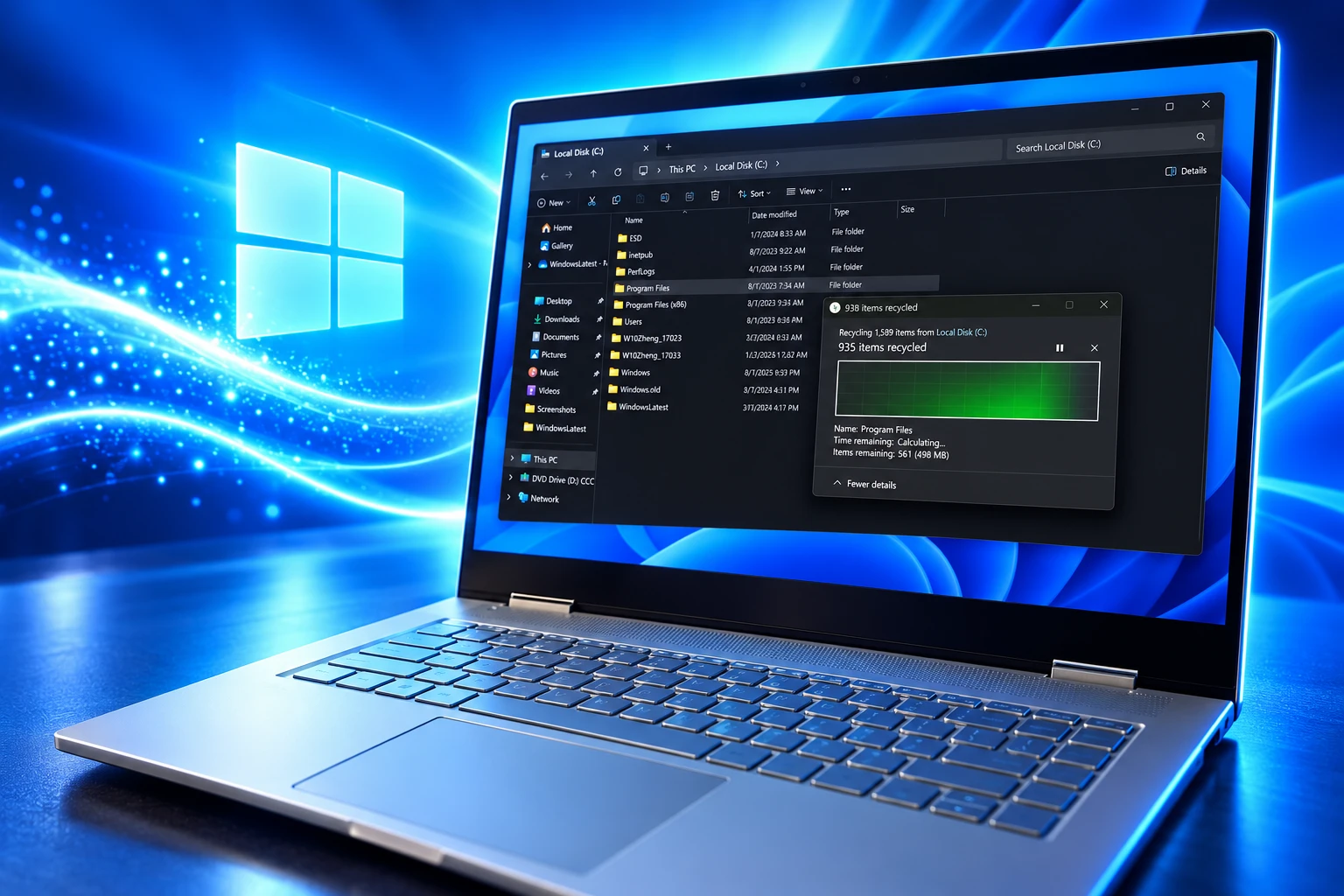
NTFS Still Walks Every Fragment on a Full Drive
Deleting in File Explorer is not a single disk wipe. Windows updates NTFS records, permissions, indexes, thumbnails, and other metadata for each item, so a folder of small files can feel slower than one large video even on an SSD. Hardware still sets the floor, especially random I/O on lots of tiny objects, but the OS tax is why a faster drive never fully erased the pause.
Fragmentation adds a second tax. While a drive still has large free blocks, NTFS can keep a file in one piece. Once free space breaks into small gaps, a growing file is written as thousands of scraps. On a hard disk each scrap is a seek. On an SSD there is no head to move, yet NTFS still has to find every fragment and clear it from the free-space map. Microsoft has not said what it changed in that path, only that large fragmented files now delete faster in some cases.
WHAT WINDOWS TOUCHES ON A BULK DELETE
- NTFS records: Each file’s on-disk entry has to be updated or removed before the space is treated as free.
- Permissions and indexes: Access-control data and search indexes are rewritten so the shell does not keep pointing at a ghost.
- Thumbnails and extras: Cached previews and other per-file metadata are dropped, which adds up when you select hundreds of items at once.
- Fragment maps: A large file split across a nearly full volume is cleaned up piece by piece, which is the case Build 26300.8935 names.
That last bullet is who this fix is for: people wiping a VM disk or a bloated folder off a packed drive, not someone clearing a desktop of 40 screenshots. The meetup number never said that out loud.
Home Tab Speed Reached 24H2 and 25H2 First
Launch was always the other half of the complaint. File Explorer in Windows 11 still sits on the old Win32 shell, with WinUI and XAML drawn on top, so the first window can flash, stall on Home, and feel slower than Windows 10 even after the files themselves are local. Microsoft’s first public line on the 2026 work was not the 30% delete figure. It was launch, flicker, navigation, and everyday tasks.
Our first round of improvements will focus on a quicker launch experience, reduced flicker, smoother navigation and more reliable performance for everyday file tasks.
Microsoft, statement on the 2026 File Explorer work
That first round is what left the lab. The June optional update KB5095093, Build 26200.8737, improved File Explorer launch speed by changing how the Home tab is built, not by keeping a hidden window in RAM. Address bar suggestions got more reliable in the same flight, and disk-image mount handling improved. Those bits were headed for the next mandatory rollup.
On September 8, 2026, KB5124008 shipped as builds 26200.9445 on 25H2 and 26100.9445 on 24H2. Its File Explorer notes match two of the July Experimental lines: Home launches faster and feels more responsive, and the Recommended carousel on Home now supports touch scrolling. The fragmented-file delete line is not in that package. Testers on low-RAM machines said the Home change is easier to feel there than on a fast desktop, because Home is where cloud recents, favorites, and suggested files get pulled in before the window looks finished.
THE 91-DAY FILE EXPLORER TRACK
- June 9, 2026: At a US Windows Insider meetup, bulk delete is pitched as more than 30% faster, with copy and transfer named as later targets.
- June 2026: KB5095093 (Build 26200.8737) speeds File Explorer launch through Home-tab work, without preload.
- July 20, 2026: Experimental Build 26300.8935 notes faster deletion of large fragmented files in certain scenarios, plus a snappier Home and touch scrolling on Recommended.
- August 17, 2026: Build 26340.9212 and a Windows Insider Blog post put a rebuilt, customizable context menu in front of testers.
- September 8, 2026: KB5124008 brings the faster Home launch and Recommended touch scrolling to 24H2 and 25H2. The 30% delete figure still is not in the public notes.
Home was the bottleneck people hit every time they pressed Win+E. Shipping that first, while the delete engine stays on 26H2’s Experimental channel, is a product choice, not a rounding error.
How Microsoft Is Letting You Rebuild the Right-Click Menu
Windows 11 Insiders on Experimental Build 26340.9212, released August 17, 2026, can get a rebuilt File Explorer context menu that opens faster, shows fewer items at the top, and adds a Customize menu link into Settings. Michael Novak, writing on the Windows Insider Blog, said the Windows 11 menu had become cluttered and sluggish, and that the new design is meant to cut the wait between right-click and a menu that is ready to use. Early flights still gate it, so some testers needed a feature flag before the new entries appeared.
That wait is not only visual. Every app that injects its own verbs makes the menu do extra work as it opens, which is why a long list of third-party items feels like lag even on a new PC. Novak’s post is also where Microsoft tied the menu work to the same quality push that covers hangs, rename glitches, and Home flicker, after it restated a commitment to improving Windows quality with performance and reliability as the bar.
Over time, though, the menu became cluttered and sluggish, and we recognized the need to dramatically reduce the time between right-clicking and having a menu that’s fully ready to use.
Michael Novak, Windows Insider Blog, August 17, 2026
The redesigned context menu now rolling to Insiders puts a Customize menu command at the bottom of the list. That command opens a Context menu page under Personalization in Settings, which is the control Windows 11 never shipped in 2021 when it replaced the old stacked list with a compact WinUI menu and a “Show more options” trapdoor.
WHAT YOU CAN CHANGE IN THE NEW MENU
- Built-in commands: Send to, Print, Create shortcut, Copy as path, and Rotate image can each be turned on or off, including Print, which the Windows 11 menu had dropped.
- App extensions: Third-party verbs can sit on the main list, drop into a submenu, or disappear, which is also how Microsoft shortens the work the menu does on open.
- Muscle memory: Cut, Copy, Paste, Rename, Delete, and Share can list inline instead of as an icon row, and Properties can move back to the bottom.
The same August post lists quieter Explorer fixes that never make a headline: renames no longer get interrupted by background sync, case-only name changes show up at once, the address bar accepts more path shapes, middle-click can open folders in new tabs from the address bar and Home, Home remembers which sections you collapsed, and file sizes use KB, MB, and GB in Details view. Those are the everyday stalls Novak said outweigh a dozen smooth clicks.
Open-source file managers already treated menu lag as a solvable problem, and at least one of them shipped a lighter right-click path while Microsoft was still previewing its own. That does not replace Explorer. It does show why a customizable menu, not a delete percentage, is the change testers actually argued about once the August build landed.
The RAM Cost of a Quicker First Click
Before the 2026 quality push, Microsoft’s first answer to a slow first window was preload. Windows keeps a File Explorer window ready in the background so Win+E does not start from zero. The toggle in Folder Options, under View, is labeled “Enable window preloading for faster launch times.” It helps the first open. It does not make folder navigation, thumbnails, or the old context menu snap, and it does not make Windows 11’s hybrid UI as light as Windows 10’s native Win32 chrome.
Independent tests in late 2025 put Explorer near 35MB without preload and about 67MB with it. That extra hold is small on a 32GB workstation and ugly on an 8GB laptop that is already paying for Start, Widgets, and a cloud-backed Home view. Microsoft later added a second launch path that does not depend on that hold: the Home-tab rebuild in KB5095093, then the September cumulative. Preload can still be on while those changes run, which means some PCs pay the RAM and still get the new Home work.
This is the second bill from the same architecture. WinUI and XAML Islands let Explorer grow tabs, a modern toolbar, and a dark-mode shell. They also added compositor hops between old shell code and new visuals, which is why a right-click can hitch and why a first window can flash white in dark mode. Preload hides the start of that hitch. It does not remove the layers. On machines Microsoft now says it must keep usable at 8GB, keeping a spare Explorer window warm is the kind of quiet tax that makes a 30% delete claim feel beside the point.
WinUI 3 Cut Explorer’s Launch Overhead on Paper
The deeper bet is to make the new UI cheaper rather than to keep papering over it. In May 2026 the WinUI team used File Explorer and Notepad as launch benchmarks while moving more of the shell toward WinUI 3. A GitHub note from Microsoft engineer Beth Pan said the goal was to make WinUI 3 the native UI platform for Windows apps, with performance at the center of that work. The File Explorer numbers that followed are framework cuts on the launch path, not a stopwatch on a full window.
WINUI 3 FILE EXPLORER LAUNCH-PATH CUTS
- Allocations: 41% fewer during the measured launch path.
- Transient allocations: 63% fewer short-lived allocations in the same run.
- Function calls: 45% fewer calls inside that WinUI slice.
- Time in WinUI code: 25% less time spent in the framework during launch.
Those figures are easy to over-read. They cover the WinUI portion of startup, not the time until Home has finished painting recents from the cloud, and they are not the 30% delete metric from June. They do explain why Microsoft talks about Explorer getting faster even when a given flight only tweaks Home or kills a freeze on rename. If the compositor tax shrinks, preload has less work to hide.
Build 26300.8935 also quietly started replacing the old properties sheet, beginning with a WinUI page for items in the Recycle Bin that follows dark mode. That is the same modernization track as the menu: keep the Win32 file engine, redraw the chrome so it matches the rest of Windows 11, and hope the new chrome is finally cheap enough to live with.
Experimental 26H2 Still Holds the File Engine Work
As of the September 8 rollup, the Explorer map is split across channels. 24H2 and 25H2 have the faster Home launch and touch scrolling on Recommended. Experimental 26H2 still holds the fragmented-file delete path, the customizable context menu, and the rest of the file-ops work that was supposed to follow the 30% baseline. Microsoft says many of those flights use Controlled Feature Rollout for Insider features, so even testers on the right build may not see the menu or the delete change on day one. Features in that channel can also be pulled; the same August wave removed the Drag Tray share UI after testers called it a nuisance.
That is why this is still an engine story, not a finished speed drop. Microsoft has spent a year of File Explorer quick fixes on launch tricks, Home, flicker, and menus. The June meetup was the first time it put a hard number on delete. The number never became the changelog. The changelog never became the September patch. Copy and transfer are still a briefing, not a build note.
WHAT WE KNOW
- Home on stable: KB5124008 on September 8 makes File Explorer Home faster on 24H2 (build 26100.9445) and 25H2 (build 26200.9445) and adds touch scrolling to Recommended.
- Delete in preview: Build 26300.8935, July 20, is the first public note, and it limits the gain to large fragmented files in certain scenarios.
- Menu in preview: Build 26340.9212, August 17, carries the customizable context menu Novak described, rolling out in stages.
WHAT IS UNCONFIRMED
- The 30% baseline: No Microsoft changelog has restated the meetup figure or said it applies to mixed bulk deletes of small files.
- Copy and transfer: Named in June as likely follow-ons, still absent from the notes that named delete and Home.
- A stable date for the menu: Insiders have it in 26H2 Experimental. Microsoft has not named a 24H2 or 25H2 ship date.
The next Explorer flight that matters is the one that either puts a delete number next to a stable build or admits the 30% line was a lab floor for one ugly NTFS case. Until that note exists, Windows 11 File Explorer is faster where Microsoft rebuilt Home, and still waiting where it promised to rebuild delete.

Windows 11 26H2 Turns Settings Backup On by Default

The Gears 2 PC Port Epic Refused to Ship

Ghost Recon Wildlands Returns at 4K as a Catalog Product

Waterpark Simulator Keeps the $12.99 Price After 1.0

Nurix Puts NuPlay on Microsoft Marketplace to Reach Azure Buyers

Warzone Leaves Xbox One and PS4 After Season 06

Microsoft AI Was Set Free to Build Its Own Frontier

Microsoft IQ Turns Workplace Data Into a Metered Agent Brain

Xbox Games Showcase 2026 Split the Catalog in Two

Nadella Banned Addiction Talk While Scout Kept Heartbeat
-
 NEWS5 months ago
Warzone Leaves Xbox One and PS4 After Season 06
-
 NEWS5 months ago
Microsoft AI Was Set Free to Build Its Own Frontier
-
 MICROSOFT 3655 months ago
Microsoft IQ Turns Workplace Data Into a Metered Agent Brain
-
 NEWS5 months ago
Xbox Games Showcase 2026 Split the Catalog in Two
-
 MICROSOFT 3655 months ago
Nadella Banned Addiction Talk While Scout Kept Heartbeat
-

 NEWS5 months ago
Modern Warfare 4 Splits Its Audience Before the October Launch
-

 NEWS5 months ago
Infinity Ward Bets Modern Warfare 4 on a Paid DMZ
-

 NEWS5 months ago
Dragonwilds Hits Xbox, but Steam Saves Stay Put