
NEWS
Microsoft Cannot Rewrite the Firmware Behind Secure Boot
Windows 11 Secure Boot certificate updates still stop at OEM firmware, leaving HP BitLocker loops and stuck KEKs as the October 19 boot-loader deadline nears.

The September 8, 2026 Windows 11 security update (KB5124008, build 26200.9445 on 25H2) widened who can get the 2023 Secure Boot certificates. It still cannot write those certificates into firmware the PC maker will not accept.
That is the same wall IT admins hit on July 15, 2026, when Microsoft engineers met Acer, Asus, Cisco, Clevo, Dell, Fsas/Fujitsu, Honor, HP, Lenovo, LG, Surface, and Xiaomi and left BitLocker recovery loops, stuck Key Enrollment Keys, and “Unknown” Secure Boot status without a fix. The last 2011 certificate that signs the Windows boot loader, Microsoft Windows Production PCA 2011, expires on October 19, 2026.
What the July 15 Office Hours Left Open
The session was billed as OEM Secure Boot office hours. A large share of it was admins describing errors that official docs said should already be gone. Microsoft’s Prabhakar told one admin whose PCs showed Secure Boot Status = Unknown, even with the 2023 certificates, Secure Boot enabled, and a working TPM, to run Get-SecureBootRolloutStatus.ps1. He did not name a root cause.
The same HP BitLocker loops and Dell gaps showed up again after that session, in line with HP and Dell fleet failures that never got a clean firmware path.
UNRESOLVED CASES FROM THE JULY 15 SESSION
- HP BitLocker loop: epoch71, who manages more than 7,000 HP EliteBooks and ZBooks from G7 through current models, said forcing certificates through the AvailableUpdates registry key, and following HP’s four BIOS toggles, both triggered recovery.
- Stuck KEK: Checker-KP had about 700 HP EliteBook G9 and G10 units where the DB certificates updated after 0x5944, but the Key Enrollment Key returned to Not Started after every reboot.
- Unknown status: salmankhan1’s devices reported Secure Boot Status = Unknown despite meeting the published checks, and Microsoft’s reply stayed at a script, not a cause.
- Dell OptiPlex 5000: pbormet said those units refused the registry-key update; no Dell representative answered during the session.
- 2018 HP drop: Shapalapa said HP had removed models such as the ZBook 14u G5 and ProBook 650 G4 from its supported list after deciding the NVRAM could not hold the new certificates.
None of those threads closed with a confirmed fix. Checker-KP was left asking whether the G9 and G10 boxes sat in a firmware bucket Microsoft had already paused on purpose.
Only the OEM Can Authorize This Root Change
Secure Boot’s trust chain does not start in Windows Update. It starts with a Platform Key the hardware maker owns, then a Key Enrollment Key that is allowed to change the signature database (DB) and the revoked-signature database (DBX). Microsoft can ship new certificates and decide which device-and-firmware pairs are safe enough to receive them. It cannot sign the PK on a board it did not build.
To protect your device, Secure Boot is designed so that only the original equipment manufacturer (OEM) can authorize changes to your PC at this root level.
Microsoft Support, KB 5105943
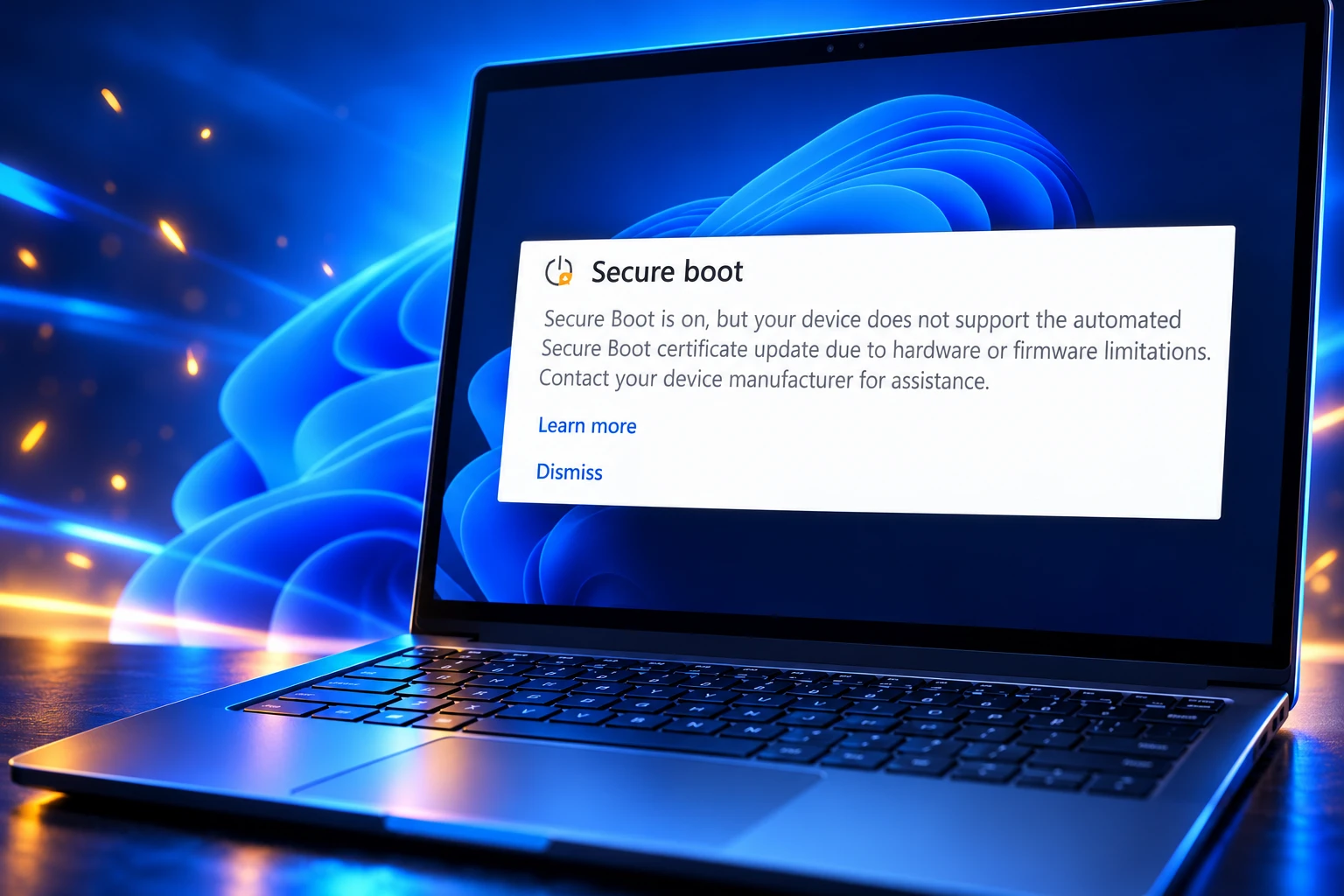
That sentence is why a “wider rollout” keeps arriving as targeting data rather than a patch that lands on every qualified Windows 11 PC. Microsoft’s own page on machines that are only the OEM can authorize at this layer tells users that some PCs will see a pause because of a known firmware issue, and others will see a hard stop because the hardware or firmware cannot take the automated update.
On the pause path, Windows Security says the device group is affected by a known issue and that certificate updates are temporarily halted while Microsoft and partners work on a supported fix. On the limitation path, Secure Boot can be on and the PC still “does not support the automated Secure Boot certificate update due to hardware or firmware limitations.” In both cases the next step Microsoft names is the PC maker, not another Windows quality update.
The company has used that targeting model all year. The January 13, 2026 security update (KB5074109) first added high-confidence device targeting so certificates went only to PCs that had already shown clean update signals. The official Windows Update account described the same expansion again in April, alongside the new status view in Windows Security under Device security, then Secure Boot.
https://x.com/WindowsUpdate/status/2044101981548277766
KB5124008 on September 8 did the same job again: more targeting data, not a way around a firmware block. PCs already parked in a known-issue bucket still do not get the write. That is the second-order cost of a security feature whose root key lives in OEM NVRAM. Microsoft can grow the eligible list. It cannot finish the install on a board that rejects the KEK.
The 2011 Certificates That Already Expired
Microsoft’s support article on the 2011 certificates begin expiring in June 2026 is blunt about what expiration does and does not do. PCs that miss the 2023 set still start. Monthly Windows updates still install. What stops is new protection for the early boot path: Windows Boot Manager updates, Secure Boot database changes, revocation lists, and fixes for boot-level bugs found later.
THE 2011 SET AND THE 2023 REPLACEMENTS
| Expiring certificate | Expiration date | Replacement | Store | Purpose |
|---|---|---|---|---|
| Microsoft Corporation KEK CA 2011 | June 24, 2026 | Microsoft Corporation KEK 2K CA 2023 | KEK | Signs updates to DB and DBX |
| Microsoft UEFI CA 2011 | June 27, 2026 | Microsoft UEFI CA 2023 | DB | Signs third-party boot loaders and EFI apps |
| Microsoft UEFI CA 2011 | June 27, 2026 | Microsoft Option ROM UEFI CA 2023 | DB | Signs third-party option ROMs |
| Microsoft Windows Production PCA 2011 | October 19, 2026 | Windows UEFI CA 2023 | DB | Signs the Windows boot loader |
Three 2011 certificates are in play, and Microsoft split the old UEFI CA into two 2023 certificates so a PC can trust option ROMs without also trusting third-party boot loaders. The KEK CA 2011 and the UEFI CA 2011 have already expired. The Production PCA 2011, the one that signs the boot loader itself, is the date that is still ahead.
A device that stays on the 2011 chain does not fall over on the expiration morning. It slowly loses the ability to take new DBX revocations. That is how a BlackLotus-class bootkit stays relevant on a PC that still looks healthy in everyday use. Microsoft also warns against turning Secure Boot off to dodge the mess, because that leaves the PC in a weaker state than leaving the current keys alone.
The check is simple if firmware will even answer. In an elevated PowerShell window, this returns True when Windows UEFI CA 2023 is already in the DB:
[System.Text.Encoding]::ASCII.GetString((Get-SecureBootUEFI db).bytes) -match 'Windows UEFI CA 2023'
False means the PC is still on the 2011 DB entry. It does not tell you whether Microsoft has paused that model on purpose, or whether the OEM firmware will accept a forced write.
Why HP Fleets Keep Hitting BitLocker Recovery
HP’s own commercial guidance is the cleanest map of how much of this lives below Windows. Supported Secure Boot HP commercial PCs are those released in 2019 and later, plus select 2018 products, running Windows 11 or Windows 10 IoT Enterprise LTSC. Products that have hit end of service life, including select 2018 models and everything from 2017 and earlier, are pointed at a separate out-of-service path.
HP’s first BIOS round, which started in September 2025, put an SBKPFV3 substring in SMBIOS Type 1 version so Microsoft’s cumulative updates would append the 2023 KEK and DB entries. Commercial PCs from 2024 onward already ship with Windows UEFI CA 2023 in the UEFI DB. The 2022 and 2023 generation got that BIOS around September 30, 2025. The 2019 to 2021 generation, and the select 2018 units, got it around December 31, 2025.
A second BIOS round began in late May 2026. It added three new certificate settings and a policy-ownership flag. Once an admin changes those settings, the BIOS, not Windows, owns what sits in the UEFI DB. HP also says the Microsoft UEFI CA 2023 and Option ROM UEFI CA 2023 certificates stay off by default on PCs that follow recent Secured-core rules, because those two are for third-party UEFI code.
The collision is BitLocker. HP’s caution is explicit: if you change Secure Boot certificate settings without suspending BitLocker on a PC that uses PCR7 as a protector, you can land in recovery. PCR7 is the TPM measurement of the Secure Boot state. When firmware and certificates move, that measurement moves with them, and BitLocker asks for the recovery key because the seal no longer matches.
The 7,000-Notebook Loop
That is the loop epoch71 could not leave. HP’s Juergen_Bayer told him to install the newest BIOS through HP Image Assistant and leave the new certificate settings alone, so Windows Update could add the certificates. The fleet was already on that BIOS. Recovery still fired. On an EliteBook 640 G10, BIOS V75 01.12.01 went to recovery every time he forced certificates through the registry. Rolling back to V75 01.11.00 stopped the loop. Rolling back BIOS across thousands of deployed notebooks is not a plan most IT teams can run.
HP had already published a commercial advisory for a BitLocker recovery screen after BIOS updates from early April 2026, including a check of the UEFICA2023Status and UEFICA2023Error registry values. If status stays at In Progress and the error value is above 0, the certificate handoff has failed. The July 15 reports were the same class of failure on BIOS versions that were supposed to have moved past that advisory.
Shapalapa’s EliteBook 840 G6 sat in Under Observation, More Data Needed until BIOS 01.35.01, then hit the same recovery loop until three certificate toggles that shipped disabled were turned on by hand. HP’s Juergen_Bayer and Duane_Gatlin both gave Checker-KP steps, including 0x4 to force the KEK. After a test machine took the newest BIOS, the KEK still had not updated.
HP’S FOUR SECURE BOOT CERTIFICATE TOGGLES
- Windows UEFI CA 2023: The certificate that replaces Production PCA 2011 for signing the Windows boot loader.
- Microsoft Option ROM UEFI CA 2023: Trust for third-party option ROMs such as network or graphics firmware.
- Microsoft UEFI CA 2023: Trust for third-party boot loaders and EFI applications.
- Enable MS UEFI CA Key: The switch that still governs whether the old Microsoft UEFI CA 2011 third-party certificate is active in the DB.
HP’s published workaround for the April recovery loop is to enable all four, save, and reboot, after suspending BitLocker. epoch71 said that path, and the registry path, both put his test notebook into recovery. Field reports after the June 2026 security update (KB5094126) also described HP enterprise boxes hitting BitLocker loops and error 0xc0430001 when Windows updated Boot Manager but left an older boot.stl on a crowded EFI partition. On older images that still use a 100 MB EFI partition, firmware recovery files can fill that space before the new boot files fit.
Dell Dual-Shipped Certificates, and HP Did Not
Dell’s public FAQ is the contrast. To ease the transition, Dell used a dual certificate strategy since late 2024 on newly launched platforms, and by the end of 2025 on all sustaining platforms leaving its factories. New images can boot with either the 2011 or the 2023 chain. Dell has not set an end date for that overlap. The 2023 certificates, Dell says, are valid for 15 years, through 2038.
HOW THE THREE CHANNELS HANDLED THE SWAP
| Channel | What shipped | What still breaks |
|---|---|---|
| Dell (in-service) | Both 2011 and 2023 certificates on new platforms from late 2024, then on sustaining factory platforms by the end of 2025 | OptiPlex 5000 units that refused the registry-key update in the July session; platforms with end of service life before January 1, 2026 get no Dell BIOS that will keep the new keys after a reset |
| HP commercial | Windows UEFI CA 2023 in the DB on 2024-and-later PCs; SBKPFV3 BIOS from late 2025; second BIOS with manual toggles from late May 2026 | April 2026 BitLocker recovery, the same loop on later BIOS in July, KEK stuck on about 700 G9 and G10 units, 2018 models dropped from the supported list |
| Consumer boards | Vendor UEFI updates, often with factory-default keys that still hold only the 2011 set | ASUS boards that would not apply the revocation list unless Secure Boot was turned off, MSI boards that ignored updates while the UI still showed Secure Boot on, ASRock boards that needed manual key resets |
Dell still draws a hard line at service life. Consumer and commercial platforms with end of service life after December 31, 2025 get BIOS updates. Platforms with end of service life before January 1, 2026 do not. Microsoft can make the 2023 certificates available on those older boxes. Dell says the BIOS may not support or keep them, especially if Secure Boot is toggled or defaults are restored. Expert Key Mode on a Dell can pull the active variables back from the default firmware and wipe 2023 certificates that Windows Update had already applied. If BitLocker is on, that reset can demand the recovery key.
pbormet’s OptiPlex 5000 question in the July session never got a Dell reply. Dual-shipping new hardware does not, by itself, move a mid-life commercial desktop whose firmware will not take the registry write.
Hands-On Key Resets on Consumer Motherboards
The DIY and small-office path is messier because those boards often use a vendor Platform Key and a factory default database that never included the 2023 certificates. Clear CMOS, flash UEFI, or restore default Secure Boot keys, and a PC that had already taken the 2023 set can fall back to 2011 keys. The new certificates then have to be applied again, and older default stores will not contain them.
Ed Tittel, testing a small fleet of 10 to 15 PCs in March 2026, ran into that board by board. Some ASUS boards would not apply the revocation list unless Secure Boot was turned off first. Some MSI boards ignored the updates while the firmware UI still showed Secure Boot enabled. ASRock boards needed manual key resets and re-enrollment on almost every system he checked, with thin documentation for the steps. His ASRock B550 Extreme4 desktop stuck in a false CPU-change warning on each restart after the Secure Boot update. He stopped trying to fix it in firmware and replaced the motherboard.
Dell, HP, and Lenovo systems did better in that March sample, with staggered BIOS drops and more than one reboot. The July office hours flipped that comfort for HP, and left at least one Dell commercial model unanswered. The pattern is not that one logo is broken. It is that every logo implements UEFI variables differently, so a certificate Microsoft treats as one Windows Update payload becomes a different procedure on each board.
Forcing the payload is the same registry value across vendors. Setting AvailableUpdates to 0x5944 under HKLM\SYSTEM\CurrentControlSet\Control\SecureBoot is the full set, including the PCA 2023-signed boot manager. 0x4 is the narrower KEK push that HP’s engineers suggested to Checker-KP. The scheduled task that applies the write is Microsoft\Windows\PI\Secure-Boot-Update. On a board that rejects the KEK, those commands just reboot you back to Not Started.
The October 19 Boot Loader Deadline
The remaining 2011 certificate is the one that signs the Windows boot loader. After October 19, 2026, a PC that still lacks Windows UEFI CA 2023 can keep booting on the signatures it already trusts. It will not take new Boot Manager builds that are signed only with the 2023 production CA. Microsoft’s pause page is explicit: everyday apps, networking, and browsing stay the same, and Secure Boot still blocks threats it already knows. New Boot Manager protections, and newly found bad boot loaders, are what drop away.
THE 2026 CERTIFICATE CALENDAR
- January 13, 2026: KB5074109 adds high-confidence device targeting so automatic certificate delivery follows clean update signals.
- April 2026: Windows Security begins showing Secure Boot certificate status. HP’s early-April BIOS updates trigger BitLocker recovery on some commercial PCs.
- Late May 2026: HP ships the second BIOS round with manual 2023 certificate settings.
- June 24, 2026: Microsoft Corporation KEK CA 2011 expires.
- June 27, 2026: Microsoft UEFI CA 2011 expires.
- June 29, 2026: Microsoft publishes KB 5105943 for PCs blocked from the certificate update.
- July 15, 2026: OEM office hours leave the HP BitLocker loop, the stuck KEK, Unknown status, and the OptiPlex 5000 registry failure without a confirmed fix.
- September 8, 2026: KB5124008 expands targeting again on Windows 11 25H2 (build 26200.9445) and 24H2 (build 26100.9445).
- October 19, 2026: Microsoft Windows Production PCA 2011 expires.
Before anyone forces 0x5944 or flips HP’s four toggles across a fleet, BitLocker recovery keys have to be backed up, and the change has to be piloted on the actual BIOS versions in production. Microsoft’s example scripts live under %systemroot%\SecureBoot\ExampleRolloutScripts, including Detect-SecureBootCertUpdateStatus.ps1 for PCs whose on-screen status does not match the certificates in firmware. A green check in Windows Security is not a substitute for that script on a paused firmware bucket.
The September 8 update did what Microsoft can do from Redmond. It grew the list of PCs allowed to try. On October 19 the boot-loader certificate expires whether or not HP has a BIOS that gets epoch71 out of recovery, and whether or not Dell has an answer for the OptiPlex 5000 units that would not take the registry key.

Windows 11 26H2 Turns Settings Backup On by Default

The Gears 2 PC Port Epic Refused to Ship

Ghost Recon Wildlands Returns at 4K as a Catalog Product

Waterpark Simulator Keeps the $12.99 Price After 1.0

Nurix Puts NuPlay on Microsoft Marketplace to Reach Azure Buyers

Warzone Leaves Xbox One and PS4 After Season 06

Microsoft AI Was Set Free to Build Its Own Frontier

Microsoft IQ Turns Workplace Data Into a Metered Agent Brain

Xbox Games Showcase 2026 Split the Catalog in Two

Nadella Banned Addiction Talk While Scout Kept Heartbeat
-
 NEWS5 months ago
Warzone Leaves Xbox One and PS4 After Season 06
-
 NEWS5 months ago
Microsoft AI Was Set Free to Build Its Own Frontier
-
 MICROSOFT 3655 months ago
Microsoft IQ Turns Workplace Data Into a Metered Agent Brain
-
 NEWS5 months ago
Xbox Games Showcase 2026 Split the Catalog in Two
-
 MICROSOFT 3655 months ago
Nadella Banned Addiction Talk While Scout Kept Heartbeat
-

 NEWS5 months ago
Modern Warfare 4 Splits Its Audience Before the October Launch
-

 NEWS5 months ago
Infinity Ward Bets Modern Warfare 4 on a Paid DMZ
-

 NEWS5 months ago
Dragonwilds Hits Xbox, but Steam Saves Stay Put