
MICROSOFT 365
Microsoft Rolled Back a Failover That Blocked MFA Setup
Microsoft fixed My Sign-Ins MFA 504s on June 1, 2026 by undoing its own failover after EU traffic overwhelmed the alternate path.

Microsoft restored My Sign-Ins on June 1, 2026 by sending traffic back to the original infrastructure after a failover stalled. Some users had been hitting 504 Gateway Timeout errors while trying to set up MFA or open mysignins.microsoft.com. The company tracked the incident as MO1329260 in the Microsoft 365 Admin Center.
504 Timeouts on the MFA Enrollment Portal
The portal is the self-service desk for authentication methods, recent sign-ins, and security info. When it returns 504s, a new hire cannot finish MFA, a user with a new phone cannot swap methods, and a helpdesk cannot point anyone at a page that loads. Existing MFA prompts on Teams or Outlook were not the fault Microsoft described. The break was setup and the My Sign-Ins site, which is the door you need when you do not have a method yet.
Microsoft 365 Status posted the first public note at 09:27 UTC. NHSmail Support logged the same event as INC46839382, described the 504s, and later marked the issue resolved. Microsoft said only some users were affected. It never published a headcount.
THE JUNE 1 STATUS THREAD
- June 1, 2026, 09:27 UTC: Microsoft 365 Status says some users may be unable to set up MFA or access mysignins.microsoft.com and points admins to MO1329260.
- June 1, 2026, 09:53 UTC: The same account says it has completed a failover to alternate healthy infrastructure and is watching telemetry for full recovery.
- June 1, 2026, 11:44 UTC: It blames a recent cache configuration change, says EU traffic caused CPU and memory pressure during the transition, and reports that mitigation actions have been rolled back.
Twenty-six minutes separated the first post from the failover notice. One hour and 51 minutes later, traffic was back on the original path. The public thread from first alert to rollback spanned 2 hours and 17 minutes. The fault may have started earlier than 09:27 UTC. Microsoft did not give that start time.
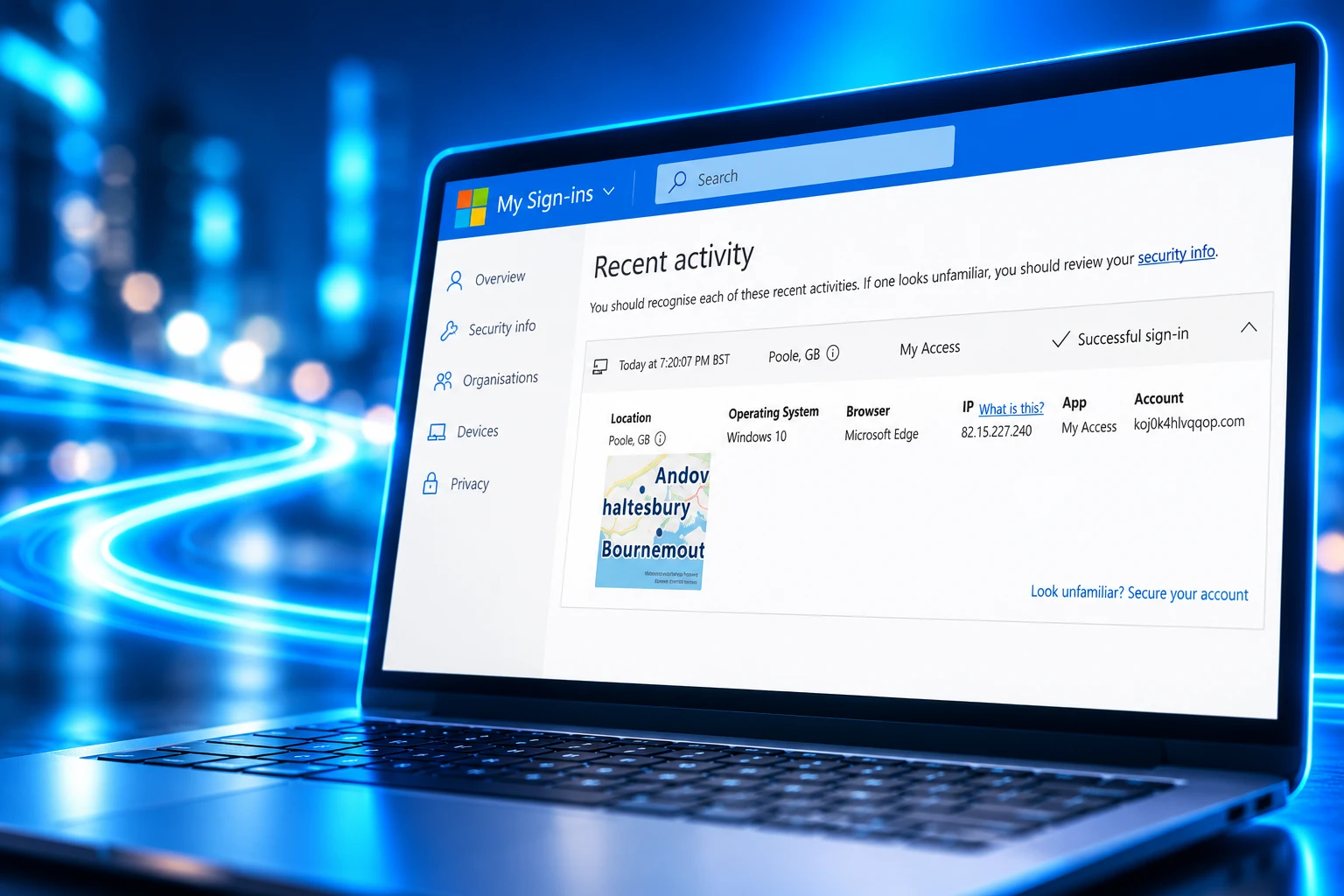
Microsoft Called the Failover Healthy, Then Rolled It Back
The company first treated the cache change as a reason to move My Sign-Ins onto other kit. That is a normal cloud play: leave the bad pool, serve from a clean one. On this incident the clean pool did not hold. Microsoft said that as EU traffic peaked, CPU and memory use climbed until the service could not process the request volume. The mitigation became the load problem. The way out was to undo it.
A recent cache configuration change required a failover. During the transition, high EU traffic caused CPU and memory pressure, impacting MySignIn request processing. We’ve rolled back mitigation actions and restored traffic to the original infrastructure.
Microsoft 365 Status, on X, June 1, 2026, 11:44 UTC
That wording is the incident in one breath. A change forced a failover. The failover choked on a regional peak. Rolling the mitigation back, not staying on the alternate path, is what restored the site.
https://x.com/MSFT365Status/status/2061379221662880104
NHSmail Support’s final update at 8:46 AM on June 2, 2026 repeated the same cache, EU peak, and rollback sequence and kept the status at resolved. Microsoft also said it would keep watching the service and would complete a post-incident review, with a first report due within two business days and a final report within five, through the Admin Center. A public PIR page for MO1329260 did not surface after those windows.
WHAT WE KNOW
- The symptom: Some users received 504 Gateway Timeout errors on mysignins.microsoft.com and could not set up MFA.
- The trigger: Microsoft said a recent cache configuration change required a failover.
- The stall: During that move, high EU traffic caused CPU and memory pressure that stopped My Sign-Ins from processing the volume of requests.
- The restore: Mitigation actions were rolled back and traffic returned to the original infrastructure, logged as MO1329260.
WHAT IS UNCONFIRMED
- User count: Microsoft never stated how many tenants or people hit the 504s.
- Exact start: The first public Status post is 09:27 UTC; the minute the cache change landed is not in that thread.
- Public PIR: The two-day and five-day reports were promised inside the Admin Center; their full text is not on a public page.
For anyone who still had a working method, the morning was an enrollment outage, not a sign-in blackout. For anyone who needed the portal, the backup path Microsoft had just praised was the thing that ran hot.
https://x.com/MSFT365Status/status/2061413449230377450
Why New Hires Could Not Finish MFA Setup
My Sign-Ins is where a person adds Microsoft Authenticator, a passkey, a phone number, or a hardware key without opening a ticket. It is also where they review sign-in history and change security info after a lost device. A 504 on that site does not take Teams down for people who already enrolled. It freezes the jobs that only exist because MFA is required before the rest of Microsoft 365 will let a new account through.
At least one onboarding desk had four new starters stuck that morning. That is the practical shape of a “some users” incident: a Monday intake list, four people who cannot complete the prompt, and no self-service page to send them to. Account recovery and Conditional Access campaigns that force registration hit the same wall, because they also dump the user on enrollment.
WHO THE 504S BLOCKED
- First-day setup: New accounts that had to enroll MFA before Conditional Access would grant Exchange, Teams, or the admin centers.
- Method changes: People replacing a phone, an Authenticator install, or a lost key who needed Security info to add the next method.
- Self-service recovery: Anyone sent to My Sign-Ins to review sign-ins or fix security info without a helpdesk rebuild.
- TAP onboarding: Temporary Access Pass sign-in still lands on Security info to register the lasting method.
Admins who already had MFA could still reach the Microsoft 365 Admin Center and watch MO1329260 under Service Health. People who did not have a method yet could not use that console to save themselves. The useful move during the window was to stop tightening policies that demand registration, list who failed, and wait for the portal, rather than turning MFA off under pressure.
Microsoft Already Requires MFA on Admin Portals
A short enrollment outage bites harder when the platform no longer treats MFA as optional. Microsoft’s own plan for mandatory MFA for Azure and admin portals put Phase 1 on the Azure portal, the Microsoft Entra admin center, and the Microsoft Intune admin center in the second half of 2024, then extended it to the Microsoft 365 admin center in February 2025. Phase 2 starting in October 2025 added Azure CLI, Azure PowerShell, the Azure mobile app, infrastructure-as-code tools, and REST control-plane calls for create, update, and delete. Read calls stayed out of scope.
Tenants with messy automation could postpone Phase 1 until September 30, 2025, and Phase 2 until July 1, 2026. June 1 sat 30 days before that last postpone date. Enrollment traffic was always going to rise into that deadline. The portal that had to absorb it is the one that returned 504s.
MANDATORY MFA PHASES
| Phase | When it starts | What it covers |
|---|---|---|
| Phase 1 | October 2024, then February 2025 for Microsoft 365 admin | Azure portal, Entra admin center, Intune admin center, Microsoft 365 admin center |
| Phase 2 | October 1, 2025 | Azure CLI, Azure PowerShell, Azure mobile app, IaC tools, REST control-plane CUD |
| Phase 2 postpone | Closed July 1, 2026 | Global Administrator delay at aka.ms/postponePhase2MFA |
| Out of scope | Both phases | Workload identities such as managed identities and service principals |
Microsoft’s identity docs say MFA can block more than 99.2% of account compromise attacks, which is why the company now enforces it on those admin surfaces whether a tenant configured a Conditional Access policy or not. Workload identities are excluded. Human accounts used as service accounts are not, and Microsoft tells customers to move that automation to workload identities. Break-glass accounts are in scope once enforcement begins.
Conditional Access can add a second trap. A policy that requires MFA for all cloud apps can also wrap the registration page, so a user with no method yet is asked for MFA in order to enroll MFA. Microsoft’s guidance is to treat “Register security information” as its own target, exclude emergency access accounts, and hand people a Temporary Access Pass. From July 6, 2026, policies that target that registration action also apply during Windows Hello for Business and macOS Platform SSO credential registration, which keeps Security info on the critical path after MO1329260.
The Recovery Pass That Opens the Same Door
A Temporary Access Pass in Microsoft Entra ID is a time-limited passcode, one-time or reusable, that lets a user sign in long enough to register a lasting method. Authentication Administrators can issue one for members. Privileged Authentication Administrators can issue one for admins. The catch on June 1 was geographic: Microsoft tells those users to open Security info at mysignins.microsoft.com. That is the site that was serving 504s. A TAP does not invent a second enrollment URL. It still walks the user into My Sign-Ins.
Admins who could already sign in could create passes while the incident was live. The people holding those passes still needed the portal to finish. After traffic returned to the original infrastructure, TAP was again the clean recovery tool for lost phones and first-day setup. During the 504s it was a ticket to a page that did not load.
TEMPORARY ACCESS PASS DEFAULTS
| Setting | Default | Allowed range |
|---|---|---|
| Minimum lifetime | 1 hour | 10 minutes to 30 days |
| Maximum lifetime | 8 hours | 10 minutes to 30 days |
| Default lifetime | 1 hour | 10 minutes to 30 days |
| One-time use | False | True or false |
| Passcode length | 8 characters | 8 to 48 characters |
If the tenant forces one-time use, Microsoft says a new method must be registered within 10 minutes of sign-in. Device enrollment that runs longer than that needs a second pass for Windows Hello. A multiuse TAP can cover both steps in one code. External guest accounts cannot receive a TAP at all; the admin center and Graph return an error if you try. Internal guests can. Federated users with a TAP authenticate in Entra ID and skip the usual hop to the federated identity provider, which is useful on a normal day and irrelevant if Security info itself is down.
What a Hardware Key Does for Emergency Access
Microsoft’s mandatory MFA text is blunt about emergency accounts. Break-glass or emergency access accounts must also sign in with MFA once enforcement begins. The recommended methods are a passkey (FIDO2) or certificate-based authentication, because both satisfy the MFA requirement without a phone app that can be deleted, a SIM that can fail, or a portal session that has to load under a 504. The older habit of excluding those accounts from every Conditional Access policy does not punch through platform-level enforcement on the Azure portal, Entra, Intune, or the Microsoft 365 admin center.
The durable setup is two or more cloud-only emergency accounts on the onmicrosoft.com domain, with Global Administrator held permanently, credentials stored off any one person’s phone, and hardware keys registered before the next identity incident. TAP remains the bootstrap to get those keys onto the account. That bootstrap, again, uses Security info. The June 1 lesson is not to disable MFA. It is to finish the hardware-key work while My Sign-Ins is healthy, because the published backup path on this incident was a failover that Microsoft had to undo.
Microsoft restored traffic to the original infrastructure the same day and told admins to keep using MO1329260 in the Admin Center. It said a first post-incident report would follow within two business days and a final report within five. Until that write-up is in a tenant’s Service Health feed, the public record stops at the 11:44 UTC rollback: a cache change, a failover that ran hot on EU traffic, and a return to the kit they had just left.

Windows 11 26H2 Turns Settings Backup On by Default

The Gears 2 PC Port Epic Refused to Ship

Ghost Recon Wildlands Returns at 4K as a Catalog Product

Waterpark Simulator Keeps the $12.99 Price After 1.0

Nurix Puts NuPlay on Microsoft Marketplace to Reach Azure Buyers

Warzone Leaves Xbox One and PS4 After Season 06

Microsoft AI Was Set Free to Build Its Own Frontier

Microsoft IQ Turns Workplace Data Into a Metered Agent Brain

Xbox Games Showcase 2026 Split the Catalog in Two

Nadella Banned Addiction Talk While Scout Kept Heartbeat
-
 NEWS5 months ago
Warzone Leaves Xbox One and PS4 After Season 06
-
 NEWS5 months ago
Microsoft AI Was Set Free to Build Its Own Frontier
-
 MICROSOFT 3655 months ago
Microsoft IQ Turns Workplace Data Into a Metered Agent Brain
-
 NEWS5 months ago
Xbox Games Showcase 2026 Split the Catalog in Two
-
 MICROSOFT 3655 months ago
Nadella Banned Addiction Talk While Scout Kept Heartbeat
-

 NEWS5 months ago
Modern Warfare 4 Splits Its Audience Before the October Launch
-

 NEWS5 months ago
Infinity Ward Bets Modern Warfare 4 on a Paid DMZ
-

 NEWS5 months ago
Dragonwilds Hits Xbox, but Steam Saves Stay Put