
NEWS
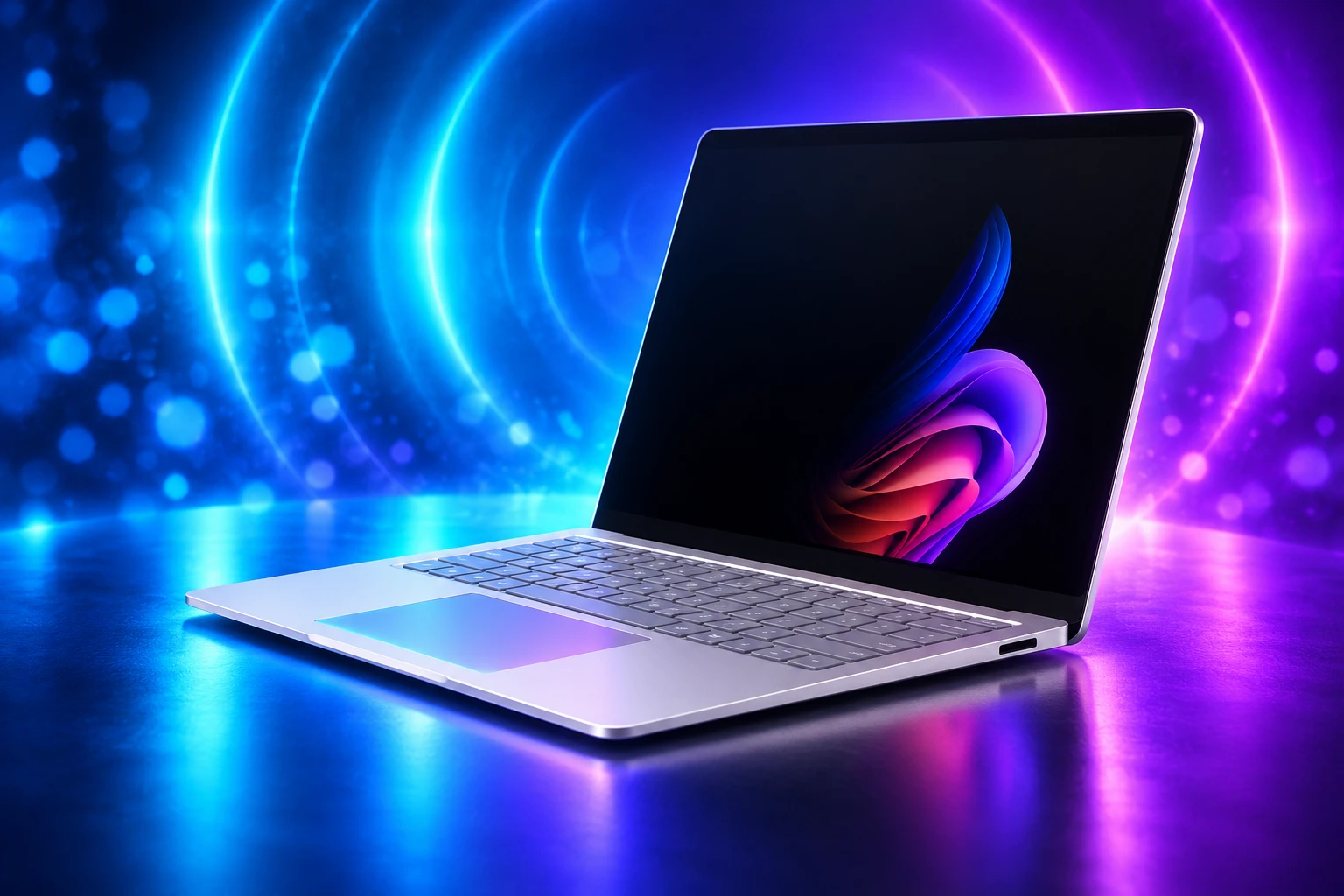
Surface Laptop 8 Still Owns Windows 11 Haptic Signals
Windows 11 haptic signals still run on the Surface Laptop 8, while Microsoft’s OEM guide and a Logitech mouse wait for other PCs.

Microsoft’s Surface Laptop 8 is still the only laptop on Windows 11’s official haptic device list. The consumer Snapdragon X2 models went on sale June 16, 2026, from $1,599 for the 13.8-inch. The Intel business machines had arrived May 19 from $1,949.99.
The chip bump is the easy headline. The harder one is that Windows 11 now has a feel most Windows PCs cannot deliver, and Microsoft already published the homework for every other maker.
What Windows 11 Haptic Signals Do on a Trackpad
Haptic Signals are short, host-driven bumps tied to on-screen work, not the fake click of a glass pad. Drag a window into Snap Layouts and the pad ticks when you cross a zone. Hover the pointer near a Close button and you get a warning tap before you dump an unsaved file.
Microsoft’s Surface briefing on May 19, 2026, listed three everyday cues: a Close-button warning, a snap when objects hit guides or canvas edges, and detents as a slider crosses each step. File Explorer drags do the same on the Laptop 8 pad. PowerPoint alignment is in the same family.
The software name in Settings is Haptic signals, under Bluetooth and devices, then Mouse, Touchpad, or Pen. Developer docs still say haptic. The InputHapticsManager API shipped in Windows 11 SDK 10.0.28000.1721 in March 2026, with Align, Collide, Step, and Grow waveforms added in SDK 10.0.28000.1839 in April. Apps are told to fire a waveform when a visible guide appears, and to stay quiet when the user is only racing past.
These new Haptic Signals provide a subtle bump when interacting with certain UI elements and actions, such as snapping app windows or dragging files in File Explorer. The feedback response feels great and intentional, and makes using the OS feel more satisfying.
Zac Bowden, senior editor, on X, May 20, 2026
He compared the layer to the small taps on a Google Pixel. That is the right scale. This is phone-grade confirmation, not a rumble pack under the palm rest, and it only exists when the hardware can play Windows’ waveform list.
Microsoft’s Device List Still Has One Laptop
Microsoft Learn’s haptic article, last updated August 17, 2026, points at a Supported Device Database and prints a short table. Two months after the consumer Laptop 8 launch, that six-device supported list still has a single laptop family on it.
WINDOWS 11 HAPTIC DEVICE LIST
| Device | Type | What Windows can drive |
|---|---|---|
| Surface Laptop 8 | Touchpad | OS signals on the 13.8-inch and 15-inch 8th Edition |
| Surface Laptop 8 for Business | Touchpad | Same advanced pad on Intel and later Snapdragon business units |
| Logitech MX Master 4 | Mouse | OS signals after firmware 27.3.19, on March 2026 Windows 11 or later |
| Surface Slim Pen 2 | Pen | Inking feel plus interaction cues in supported apps |
| ASUS Pen 3.0 | Pen | Listed for pen haptics |
| MSI Pen 2 | Pen | Listed for pen haptics |
Microsoft’s Surface product footnotes tighten the laptop row further. Advanced Haptic features are called out only on the 13.8-inch and 15-inch 8th Edition models, and only for select apps and features. The 13-inch Surface Laptop in the same generation is the easy machine to buy by accident if you came for the new feel.
Both the Snapdragon X2 consumer Laptop 8 and the Intel business Laptop 8 carry the advanced pad on those two sizes. The 15-inch consumer model starts at $1,699. Snapdragon business units followed on July 14, 2026, from $1,649.99. Chip choice does not gate the signals. Size does.
Click Pads on Flagships From Dell and HP
Plenty of 2025 and 2026 Windows flagships already vibrate. Dell’s XPS 14 and XPS 16, Lenovo’s ThinkPad X1 Carbon, HP’s OmniBook Ultra, Acer’s Swift 16 AI, and even last year’s Surface Laptop 7 use haptic actuators so a solid glass plate can fake a physical click. Reviewers like those pads. They are still mute in Windows 11’s new language.
A click motor fires when you press the surface. Haptic Signals fire when Windows, or an app using InputHapticsManager, decides you aligned, hovered, snapped, or stepped. That needs a HID SimpleHapticsController collection Windows can address after the device enumerates, parented to a Precision Touchpad collection on laptops. Most click pads never expose it, so Settings never shows the Haptic signals toggle, and apps that call the API get a polite no.
That gap is why the Laptop 8 story keeps getting flattened into “nice trackpad.” Other makers already spent the motor money. They have not shipped the host-driven collection Windows 11 now knows how to talk to. Until they do, a $2,000 XPS and a $1,599 Surface will feel like different operating systems in the hand, even when both run the same build.
The OEM Guide Is Sitting in Public
Microsoft did not leave this as a Surface party trick. The Windows hardware docs spell out an Input Device Haptics Implementation Guide for any haptic touchpad or mouse that wants to join. Haptic pens have a separate guide. Firmware reports a short list of waveforms and durations, then Windows sends a manual trigger with intensity. Makers do not write custom drivers for each bump.
Touchpads must play a mandatory set. Continuous buzz and rumble are banned on pads and mice, because a pad that never stops buzzing would wreck the whole idea. Mice must also play Success and Error. Click is optional on mice and forbidden on touchpads, where it would collide with the existing press feel. Intensity must have at least four levels, with zero reserved for Stop.
WAVEFORMS EVERY HAPTIC TOUCHPAD MUST PLAY
- Hover: A light pulse that flags an interactive target before you commit.
- Collide: A soft pulse at a boundary or limit.
- Align: A sharp pulse when an object snaps to a guide.
- Step: A firm pulse for ticks, such as slider marks.
- Grow: A dynamic pulse for motion, transitions, or system activity.
- None and Stop: Mandatory no-op and halt commands the host uses to keep playback clean.
Surface’s own target is feedback in under 50 milliseconds, so the tap feels glued to the pointer instead of arriving as an echo. The app guidance uses the same 50 ms window as a debounce when an object enters an alignment zone, which is how you avoid a rattle during a fast drag. The haptics design and implementation notes tell developers to treat that tap as a second channel next to the visual guide, not as decoration.
Chauncey Larsen put the strategy in plain language in that May 19 Surface briefing: Windows is evolving Advanced Haptics as a system-level interaction language, shaped by the Surface team, that can scale beyond Surface. The guide is how it scales. The empty laptop row on the public list is how slowly everyone else has moved.
A Logitech Mouse Can Feel Windows Without a Surface
If you want the OS taps and you do not want a new laptop, the listed path is the Logitech MX Master 4. Logitech’s support note says the mouse is the first productivity mouse with full native Windows haptic signals, driven by the operating system rather than a sidecar app. Firmware 27.3.19 is the floor, installed through Logi Options+, and the PC needs the Windows 11 update from the end of March 2026. Bluetooth and the Logi Bolt receiver both work. Bolt firmware 5.5.30 is the matching dongle build. New MX Master 4 units were due to ship with the firmware in fall 2026.
Once that stack is current, Windows can tap the mouse for PowerPoint alignment and for window snap and resize. File drag and drop was still marked coming soon on Logitech’s page, even as the Surface pad already taps for Explorer drags. Options+ keeps its own taps for the Actions Ring, Smart Actions, and gestures. Those are Logitech’s layer. The Windows toggle is separate, and you set its strength in Settings. Haptics from the mouse cut out at 10 percent battery so the motor does not kill the pack.
That split matters for anyone who thought haptic Windows was a Surface SKU. A desk mouse can carry the shell cues onto a tower, a non-haptic laptop, or a business PC that blocks extra software after the firmware is flashed at home. It cannot replace a haptic pad for typing posture, and it cannot play the same press-and-release grammar a Laptop 8 trackpad uses. It does punch a hole in the idea that you must buy Microsoft hardware to feel the new OS.
Microsoft Design pushed the same line when the consumer machines landed: design is not only something you see.
https://x.com/MicrosoftDesign/status/2066927629534630343
The First Apps to Make Alignment Tactile
Windows still supplies most of the cues you will notice on day one. The API exists so apps can join without waiting for a shell update. Microsoft’s May briefing named two early partners by product, not as a rumor mill.
In Concepts, advanced haptics can tap for grid snaps, object rotation, shape recognition, and slider limits. In Wondershare Filmora, the same stack can confirm timeline snaps, image alignment, and property-control moves. Those are precision chores where your eyes are already busy, and a missed snap costs a second every time. Mik Chernomordikov, who leads Windows app partnerships, pointed at Concepts and Filmora on May 20, 2026, as the first examples of developers using the new Surface hardware.
The code path is small on purpose. An app checks that InputHapticsManager is present and that IsSupported returns true, then sends a known waveform on the UI thread. If the PC has no haptic device, the call fails quietly. That is why a developer can ship one binary that feels rich on a Laptop 8 and stays silent on last year’s XPS. It is also why app uptake will lag until the device list grows. Nobody spends weeks tuning Align pulses for a feature six machines can play.
Surface Is Shipping the Haptic Language First
This is the same company move as Precision Touchpad, just aimed at feel instead of gestures. Surface ships the reference hardware, Windows grows an API and a Settings toggle, and OEMs are expected to copy the HID work once buyers notice. The Laptop 8 pad is also the latest turn in an older Microsoft haptic hardware bet, the one that started when Surface put motors under glass to fake a click and then kept going until the OS had something to say through those motors.
HOW THE HAPTIC LAYER LANDED
- March 2026: Windows 11 SDK 10.0.28000.1721 ships InputHapticsManager. Logitech later requires this Windows 11 vintage for MX Master 4 OS taps.
- April 2026: SDK 10.0.28000.1839 adds the Align, Collide, Step, and Grow waveforms apps are told to use.
- April 30, 2026: Windows Update lists haptic feedback in the Windows 11 version 25H2 highlights, with the Settings path under Mouse, Touchpad, or Pen.
- May 19, 2026: Surface Laptop 8 for Business launches with Intel Core Ultra Series 3 chips and the advanced haptic pad, from $1,949.99.
- May 20, 2026: Logitech documents native OS haptics on the MX Master 4 with firmware 27.3.19. Concepts and Filmora are named as first app examples.
- June 16, 2026: Consumer Snapdragon X2 Surface Laptop 8 goes on sale, 10-core Plus or 12-core Elite, 80 TOPS NPU, from $1,599 with 16GB of RAM and 512GB of storage, and up to 20 hours of local video playback.
- August 17, 2026: Microsoft Learn’s supported-device table still lists only the Surface Laptop 8 family for touchpads.
The consumer machine is a Copilot+ PC with a color-matched keyboard and that next-gen pad on the 13.8-inch and 15-inch models. Jade joined the color list on the 13.8-inch. That does not change the platform math. Windows 11 now has a tactile vocabulary, a public OEM recipe, a Settings slider, and a developer API on UniversalApiContract 19.0. The only laptop Microsoft will vouch for is the one it sells, plus a mouse and three pens on the side.
Until another maker ships that SimpleHapticsController on a Precision Touchpad, Haptic Signals stay a Surface SKU with a Logitech workaround, and Windows 11’s new feel remains something you buy rather than something you get with the OS.

Windows 11 26H2 Turns Settings Backup On by Default

The Gears 2 PC Port Epic Refused to Ship

Ghost Recon Wildlands Returns at 4K as a Catalog Product

Waterpark Simulator Keeps the $12.99 Price After 1.0

Nurix Puts NuPlay on Microsoft Marketplace to Reach Azure Buyers

Warzone Leaves Xbox One and PS4 After Season 06

Microsoft AI Was Set Free to Build Its Own Frontier

Microsoft IQ Turns Workplace Data Into a Metered Agent Brain

Xbox Games Showcase 2026 Split the Catalog in Two

Nadella Banned Addiction Talk While Scout Kept Heartbeat
-
 NEWS5 months ago
Warzone Leaves Xbox One and PS4 After Season 06
-
 NEWS5 months ago
Microsoft AI Was Set Free to Build Its Own Frontier
-
 MICROSOFT 3655 months ago
Microsoft IQ Turns Workplace Data Into a Metered Agent Brain
-
 NEWS5 months ago
Xbox Games Showcase 2026 Split the Catalog in Two
-
 MICROSOFT 3655 months ago
Nadella Banned Addiction Talk While Scout Kept Heartbeat
-

 NEWS5 months ago
Modern Warfare 4 Splits Its Audience Before the October Launch
-

 NEWS5 months ago
Infinity Ward Bets Modern Warfare 4 on a Paid DMZ
-

 NEWS5 months ago
Dragonwilds Hits Xbox, but Steam Saves Stay Put