
NEWS
Microsoft Closed BitLocker’s USB Door and Left WinRE Exposed
Windows 11’s June update closed YellowKey, the USB BitLocker bypass in WinRE, then left stale recovery images open and faced another bypass a day later.

June 9, 2026 Windows 11 security updates closed YellowKey, a BitLocker bypass that opened encrypted drives from Windows Recovery with a USB stick. Microsoft tracked it as CVE-2026-45585, rated Important at CVSS 6.8, and said an attacker needed physical access.
The same recovery environment that auto-unlocks a disk so a locked-out owner can repair Windows is the path the stick walked through. Closing that path made BitLocker harder to steal from, and it made legitimate recovery pickier, which showed up as soon as the cumulative landed.
The Recovery Environment Trusted the USB Stick
Nightmare Eclipse, also publishing as Chaotic Eclipse, posted working YellowKey code on May 12, 2026. Independent testers reproduced it on Windows 11 and on Windows Server 2022 and 2025. Windows 10 was out of scope.
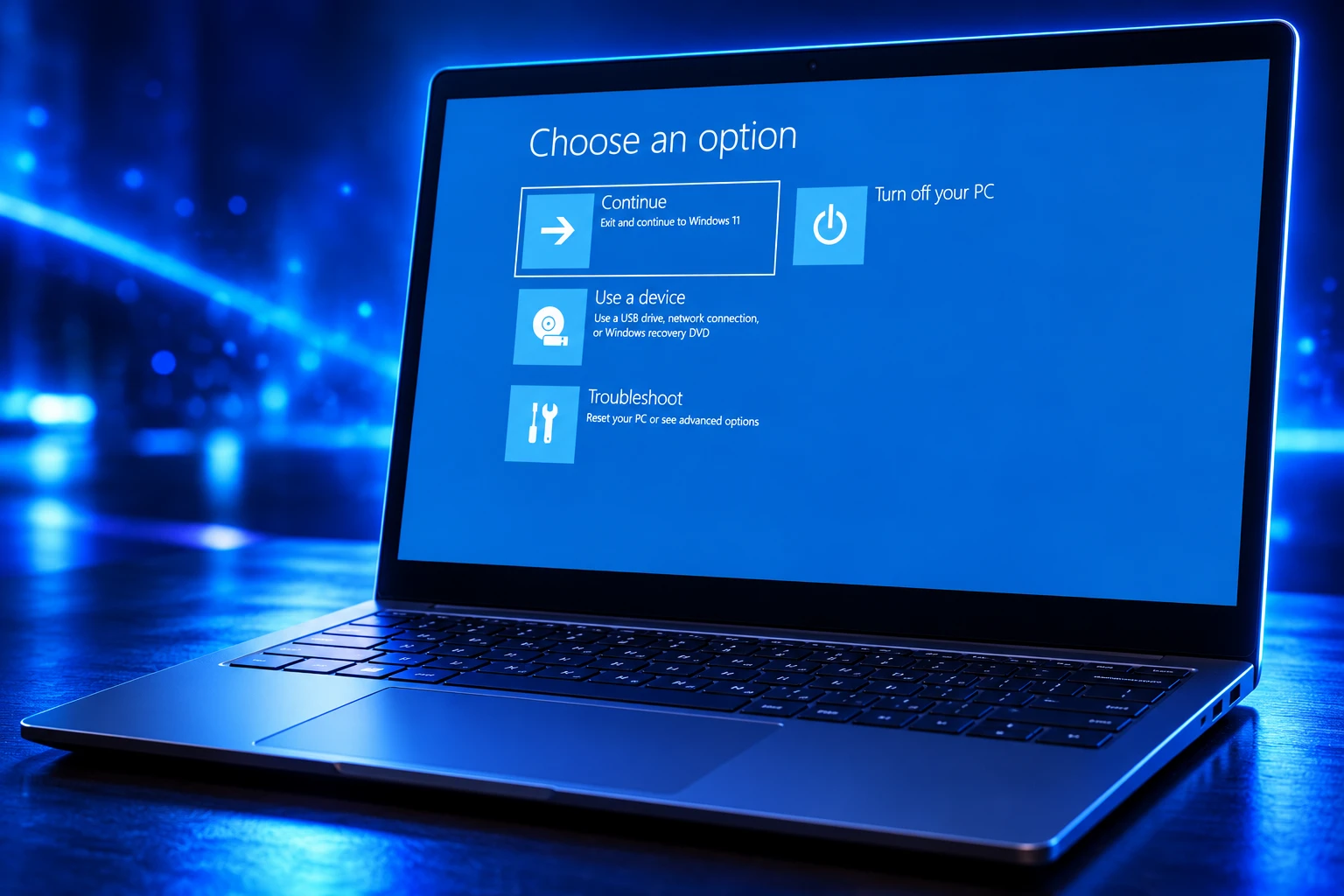
YellowKey is not a break of BitLocker’s cryptography. WinRE, the small repair image Windows boots when a machine cannot start, is supposed to see the OS volume so it can fix boot files, and the TPM hands over the key for that job. The exploit sits in that trust, not in the AES on the disk.
Will Dormann, principal vulnerability analyst at Tharros, described the primitive in plain terms: crafted Transactional NTFS bits on a USB drive can delete winpeshl.ini on another volume, the X: drive WinRE uses. That ini file tells WinRE to launch its recovery menu. When it is gone, WinRE falls back to cmd.exe, and the BitLocker volume is already mounted and readable.
The trigger is a leftover from Transactional NTFS log replay, a 2007 feature Microsoft later marked deprecated and never fully removed. Inside WinRE a helper named autofstx.exe walks attached disks for a folder called FsTx, then replays those logs. It does not keep the replay on the disk the logs came from, so a stick can change files on the recovery volume itself.
Nightmare Eclipse called that layout a backdoor, arguing the triggering behavior lives in the WinRE image and not in a normal Windows install even when the same binary name is present. Microsoft never adopted that word. The company described a security feature bypass of BitLocker Device Encryption and pointed at uncoordinated disclosure of proof-of-concept code.
Holding Ctrl during the recovery boot is the last beat of the public writeups. From the resulting shell, diskpart can mount the OS volume. Files, cached credentials, and browser profiles are then ordinary data. A variant writes the same FsTx structure to the EFI system partition, which undercuts policies that block removable media.
What Microsoft Shipped Against YellowKey on June 9
Microsoft published the official YellowKey BitLocker advisory on May 19, 2026, weeks before a full fix, and updated it when the June patches shipped. The company said a successful attacker could bypass BitLocker Device Encryption on the system storage device, rated exploitation more likely, and said it had not seen the bug used in attacks. Microsoft also said the proof of concept had been made public, “violating coordinated vulnerability best practices.”
The May workaround removed autofstx.exe from the BootExecute registry value so that helper would not run early in recovery. Microsoft also told administrators to move off TPM-only BitLocker and require a PIN at boot. Those steps were the holding pattern until Patch Tuesday.
The June 9, 2026 release listed 200 flaws, with 33 rated Critical (28 remote code execution, 4 elevation of privilege, 1 information disclosure) and 6 treated as zero-days, 5 of them already public and 1 exploited. YellowKey was one of three BitLocker bypass fixes in that wave. GreenPlasma, CVE-2026-45586, is a CTFMON bug that yields SYSTEM. Mini-Plasma, shipped under the old identifier CVE-2020-17103, is a Cloud Files Mini Filter elevation Nightmare Eclipse said was still exploitable after a 2020 fix that James Forshaw of Google Project Zero had originally reported.
BITLOCKER BYPASSES IN THE JUNE AND JULY FIXES
| CVE | Public name | CVSS | When Microsoft patched it |
|---|---|---|---|
| CVE-2026-45585 | YellowKey | 6.8 | June 9, 2026 |
| CVE-2026-50507 | bitskrieg | 6.8 | June 9, 2026 |
| CVE-2026-50661 | Physical-access BitLocker bypass | 6.1 | July 14, 2026 |
Jonas Lykkegaard published bitskrieg on June 5, 2026. It uses Windows Emergency Management Services over a serial link once WinRE will drop to a prompt, which is a different path from YellowKey’s NTFS replay. Microsoft did not put that nickname on CVE-2026-50507. Dormann matched the June fix to that technique after testing.
KB5094126 Did Not Refresh Every WinRE Image
Windows 11 took the BitLocker work in June 9 cumulative KB5094126, which raised 24H2 and 25H2 to builds 26200.8655 and 26100.8655. Installing that package is what most people mean when they say a PC is on the June patch.
Dormann then did the unglamorous test. He put KB5094126 on a Windows 11 25H2 image that had not collected the rest of the year’s WinRE updates, plugged in a YellowKey stick, and still got a command prompt on an unlocked disk. bitskrieg still worked on that same box. Microsoft’s BitLocker notes say the June cumulative contains the fixes. The recovery image on disk can lag the OS, and in that gap the old WinRE behavior remains.
On a 25H2 PC that had taken every offered update, WinRE no longer opened a prompt as soon as someone skipped the drive. It showed a restart-to-launch screen first. On that path, with the June patch level present, YellowKey and bitskrieg failed. The close was real for machines whose recovery image actually moved. It was not real for a cumulative dropped onto a stale WinRE.wim.
Dormann’s hunch is that the June BitLocker work assumed a WinRE that already forced an extra reboot before a prompt. Older recovery images that still open cmd immediately can keep both public techniques alive even after KB5094126. He also found that a bitskrieg attempt on a protected system can leave WinRE broken until an admin runs reagentc /disable and reagentc /enable from an elevated prompt.
Some PCs that installed KB5094126 then failed to boot at all and stopped on the BitLocker recovery screen, a 48-digit key demand that has nothing to do with YellowKey and everything to do with how firmware, Secure Boot, and the TPM measurements moved during the same cycle. HP machines with a crowded EFI partition showed up often in those reports. The update that shut a recovery-path bypass also shoved a slice of the installed base into recovery.
GreatXML, a Day After Patch Tuesday
On June 11, 2026, Nightmare Eclipse published GreatXML, a second BitLocker bypass aimed at WinRE. The writeup said a machine that had ever run a Microsoft Defender Offline scan could be tricked with an unattend.xml file and a Recovery folder planted on the unencrypted recovery partition, then Shift-Restart into a shell on the BitLocker volume. The researcher called it an accidental find that took about four hours.
Dormann tried the steps on three Windows 11 lineages and said the writeup was flawed. In his tests the spawned cmd.exe appeared the next time a Defender Offline scan was actually triggered, which needs a logged-in admin, and an admin who can start that scan can already turn BitLocker off. GreatXML as advertised from the lock screen did not hold up.
WHAT WE KNOW
- YellowKey: Public PoC from May 12, 2026, reproduced by multiple testers, patched as CVE-2026-45585 on June 9, 2026, still viable on stale WinRE images after KB5094126 alone.
- bitskrieg: Published June 5, 2026, serial-port WinRE technique, tied by Dormann to CVE-2026-50507, same stale-image caveat.
- GreatXML: Published June 11, 2026, no CVE on that day, Defender Offline scan plus unattend.xml on the recovery partition, independent reproduction from the lock screen failed.
WHAT IS UNCONFIRMED
- July mapping: Microsoft has not said CVE-2026-50661 is GreatXML, and treating them as the same bug is a guess.
- Wild use: Microsoft marked YellowKey as not exploited when the June fixes shipped.
The louder problem after June 9 was not another cryptographic hole. It was that WinRE keeps getting used as a privileged pre-boot world, and each new trick only has to find a way to stand in that world with the OS volume already unlocked. That is why later BitLocker bypasses after June kept landing on recovery, not on the cipher.
Microsoft Threatened Legal Action, Then Backed Off
YellowKey was one title in a spring campaign. Nightmare Eclipse also published BlueHammer, RedSun, and UnDefend against Microsoft Defender, and CISA later listed several of those Defender bugs as known exploited. The researcher said Microsoft had broken an arrangement, left them “homeless with nothing,” banned a GitHub account around May 23, 2026, and killed a Microsoft account used to file bugs. “Told personally by [Microsoft] that they will ruin my life, and they did,” they wrote.
Microsoft said it does not remove MSRC researcher portal accounts and could not confirm which account the person claimed was deactivated. In late May the company published a post that invoked its Digital Crimes Unit against uncoordinated proof-of-concept releases, language a lot of working researchers read as a legal threat. After the backlash, Microsoft walked it back.
To be clear about our approach to legal matters, we have no intention to pursue action against individuals conducting or publishing their security research. When an individual breaks the law and engages in malicious activity causing real harm to our customers, we will work with law enforcement as appropriate.
Microsoft Security Response Center, late May 2026 statement
Microsoft still did not credit Nightmare Eclipse by name on the YellowKey advisory, listing an anonymous researcher instead. The June 9 patches closed GreenPlasma, YellowKey, and Mini-Plasma in the same bundle that already had to absorb Defender bugs under CISA deadlines on Defender zero-days. Nightmare Eclipse had floated a July 14 dump, then said RoguePlanet had taken longer than planned and stepped back from that date. The BitLocker work did not wait for a truce.
FROM YELLOWKEY TO THE JULY FOLLOW-UP
- May 12, 2026: Nightmare Eclipse publishes YellowKey, a WinRE BitLocker bypass using USB NTFS transaction logs.
- May 19, 2026: Microsoft assigns CVE-2026-45585, ships a WinRE script that drops autofstx.exe from BootExecute, and tells admins to use TPM+PIN.
- June 5, 2026: Jonas Lykkegaard publishes bitskrieg, a serial-port WinRE BitLocker bypass.
- June 9, 2026: Patch Tuesday closes CVE-2026-45585, CVE-2026-50507, CVE-2026-45586, and CVE-2020-17103 among 200 flaws.
- June 11, 2026: GreatXML appears, aimed at Defender Offline scan state inside WinRE.
- June 12, 2026: Dormann shows YellowKey still working on 25H2 with only KB5094126 and a stale recovery image.
- July 14, 2026: Microsoft patches CVE-2026-50661, another BitLocker physical-access bypass, CVSS 6.1.
By September 2026 the same researcher was still publishing Defender proof-of-concept code after Patch Tuesday cycles. The BitLocker chapter is the piece that made default Windows 11 encryption look optional to anyone holding the laptop.
Why TPM-Only Laptops Remain Easy to Open
Default BitLocker on many Windows 11 PCs is TPM-only. The machine powers on, the TPM releases the key, and Windows boots. That is convenient, and it is the configuration YellowKey was built against. A PIN at pre-boot means the TPM will not release the key to WinRE the same way, which is why Microsoft’s May guidance pushed TPM+PIN even before the June binaries existed.
Physical access is the whole game. These bugs do not reach across a network. They matter for stolen laptops, unattended field devices, and any desk where a USB stick and a reboot are cheaper than asking for the PIN. Pulse Security’s older TPM-sniffing work already showed TPM-only can be pulled apart with hardware. YellowKey made a version of that outcome possible with a stick and a few minutes.
WHAT STILL STOPS A PHYSICAL BYPASS
- TPM plus PIN: Require a startup PIN so WinRE cannot silently unwrap the OS volume the way TPM-only systems do.
- Fresh WinRE: Confirm the recovery image was replaced, not only that KB5094126 is installed, and rebuild it with reagentc /disable then reagentc /enable if recovery looks wrong.
- May helper removal: On machines that cannot patch yet, keep autofstx.exe off the BootExecute list so FsTx replay never runs in recovery.
- Firmware hygiene: Store the 48-digit recovery key before the next BIOS or cumulative lands, because the same June cycle already dumped some PCs onto that screen for unrelated TPM measurement changes.
That is not a substitute for the June and July binaries. It is the set of controls that still matter on a laptop whose recovery partition did not ride along with Windows Update, which is a more common miss than vendors like to admit.
July’s CVE-2026-50661 and the Same Recovery Surface
Microsoft’s July BitLocker bypass CVE-2026-50661 landed on July 14, 2026, as another Important physical-access bypass of BitLocker Device Encryption, CVSS 6.1, publicly disclosed, marked exploitation less likely, and not listed as exploited. The advisory is the same short form as June: impact, score, and almost no mechanism. CrowdStrike and others floated GreatXML as a possible match and labeled that link unconfirmed. Microsoft has not tied the CVE to that name.
The July fix is the honest sequel to June 9. YellowKey taught anyone watching that WinRE is where BitLocker’s promise is enforced or broken, because recovery has to see the disk. Microsoft can delete autofstx.exe, add a reboot gate, and ship three CVEs in one month. The next pre-boot helper, answer file, or offline-scan state is still standing in a world where the volume is already unlocked for repair.
On a PC that took every update through July, YellowKey and bitskrieg should fail, and CVE-2026-50661 should be closed. On a PC that only swallowed KB5094126 and still boots an old winre.wim, the June story is not finished. The USB door Microsoft shut on June 9 was never the whole house. It was the recovery image, and that image still has to be replaced on purpose.

Windows 11 26H2 Turns Settings Backup On by Default

The Gears 2 PC Port Epic Refused to Ship

Ghost Recon Wildlands Returns at 4K as a Catalog Product

Waterpark Simulator Keeps the $12.99 Price After 1.0

Nurix Puts NuPlay on Microsoft Marketplace to Reach Azure Buyers

Warzone Leaves Xbox One and PS4 After Season 06

Microsoft AI Was Set Free to Build Its Own Frontier

Microsoft IQ Turns Workplace Data Into a Metered Agent Brain

Xbox Games Showcase 2026 Split the Catalog in Two

Nadella Banned Addiction Talk While Scout Kept Heartbeat
-
 NEWS5 months ago
Warzone Leaves Xbox One and PS4 After Season 06
-
 NEWS5 months ago
Microsoft AI Was Set Free to Build Its Own Frontier
-
 MICROSOFT 3655 months ago
Microsoft IQ Turns Workplace Data Into a Metered Agent Brain
-
 NEWS5 months ago
Xbox Games Showcase 2026 Split the Catalog in Two
-
 MICROSOFT 3655 months ago
Nadella Banned Addiction Talk While Scout Kept Heartbeat
-

 NEWS5 months ago
Modern Warfare 4 Splits Its Audience Before the October Launch
-

 NEWS5 months ago
Infinity Ward Bets Modern Warfare 4 on a Paid DMZ
-

 NEWS5 months ago
Dragonwilds Hits Xbox, but Steam Saves Stay Put