
MICROSOFT 365
Copilot’s New Workspace Rests on a Five-Day Usage Jump
Microsoft’s Copilot redesign is faster, yet Word, Excel, and PowerPoint usage proof spans five days, while Work IQ stays on by default.

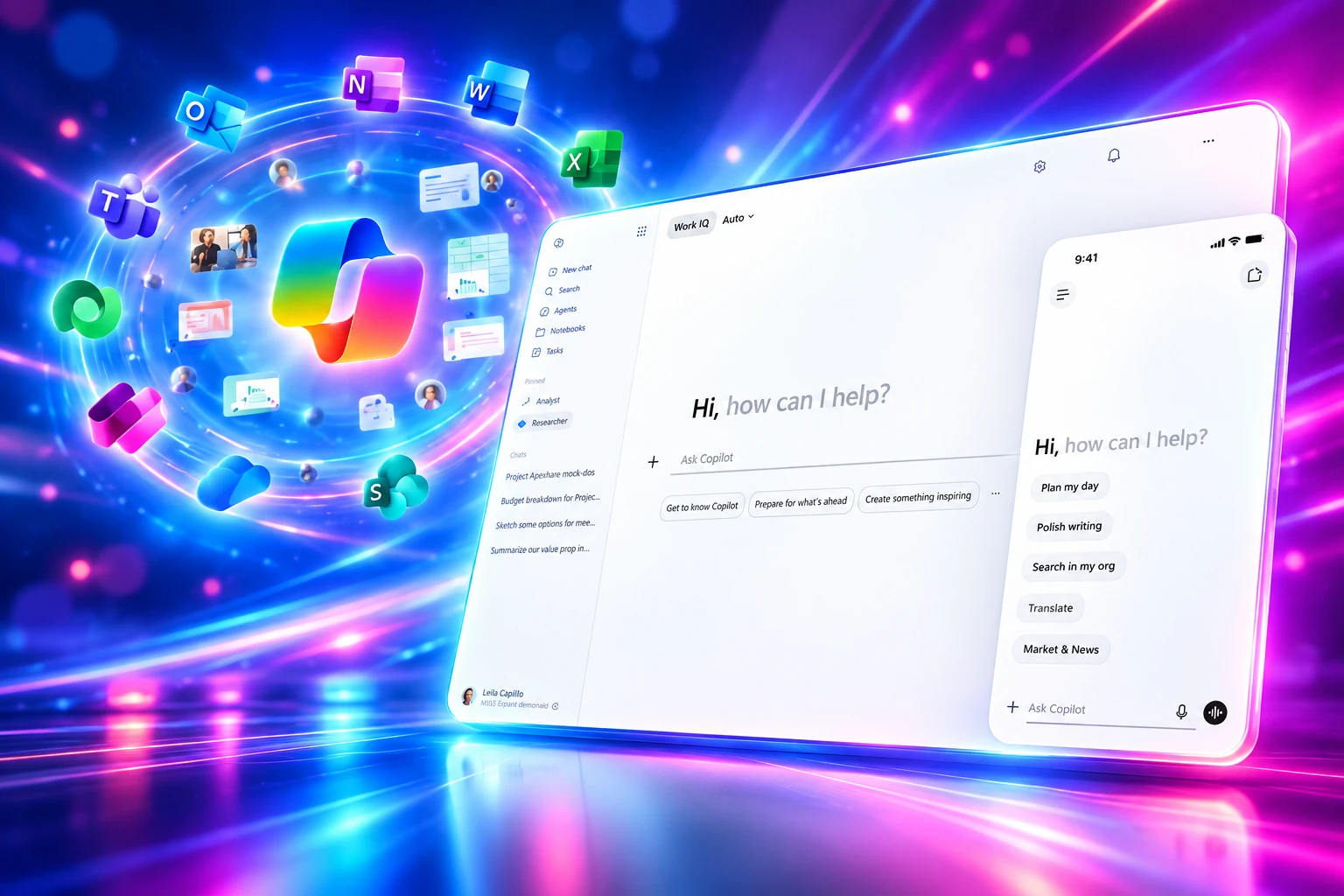
Microsoft’s redesigned Microsoft 365 Copilot app loads more than twice as fast, but the usage jumps it cites for Word, Excel, and PowerPoint cover five days. Jon Friedman, Chief Design Officer for Microsoft 365, framed the May 28, 2026 overhaul as one workspace that follows work across apps, agents, and history.
Work IQ, the layer that reads mail, files, chats, and meetings, is on by default and mixes tenant data with the web. That switch outlasts the new chrome.
A Prompt Line That Fills the Screen
Friedman said the old prompt box was a static text field. The new surface is a task-aware workspace: more room to paste, keep structure, and format before you send, with tools appearing under the box as the task takes shape. A left pane folds out for agents, conversations, and history, then folds away. Pinning is shared, so a return trip does not start from zero.
Microsoft calls the method progressive disclosure, a long-standing design rule that starts small and reveals more only as the work needs it. Output follows the same pattern. Copilot starts with a readable answer, then adds structure, suggested prompts, and follow-up actions as you refine the request. Work IQ sits under that sequence, and Microsoft says you can see it when it is active and control it directly, including a choice between AI models when a job needs deeper reasoning.
The speed claim is the part that was measured at scale. In customer testing from March 10 to 17, 2026, the app loads more than twice as fast, with load times reduced by over 50%.
THE LOAD TIME TEST
- The groups: About 11.06 million users in the treatment group were compared with 11.16 million in the control group.
- The clock: User Perceived Load Time is the slowest of the left pane, the prompt box, and prompt suggestions.
- The chat lag: First-token time on complex prompts improved 10% at the 95th percentile, the slowest 5% of chat requests.
- The caveat: Microsoft says results can vary by device, network, and how people use the app.
A separate feedback program, 8 interviews and 79 survey replies, called the app cleaner and easier to focus in. Microsoft itself says that sample is directional, not a portrait of every Copilot user. The harder numbers in the same post sit on a much shorter clock.
These updates are more than a refreshed interface. They’re a broader shift in how we design AI for work. We’re moving from individual features to connected experiences. From adding capabilities to shaping outcomes. From asking people to adapt to technology, to shaping technology around how people actually work.
Jon Friedman, Chief Design Officer for Microsoft 365, Microsoft 365 Blog
The 27% Word Jump Lasted Five Days
The launch note’s adoption proof is in-app Copilot among commercial users, not a long run of the new standalone app. For Word, Excel, and PowerPoint, Microsoft compared activity from May 8 to 12, 2026, after the new in-app experiences, with May 1 to 5, 2026, before them. That is five days against five days. Outlook used a different, longer pair of windows, from late December 2025 into February 2026.
THE FIVE-DAY USAGE WINDOW
| App | Usage change | Comparison window |
|---|---|---|
| Word | 27% | May 8 to 12 vs May 1 to 5, 2026 |
| Excel | 33% | May 8 to 12 vs May 1 to 5, 2026 |
| PowerPoint | 43% | May 8 to 12 vs May 1 to 5, 2026 |
| Outlook | 30% | Jan. 27 to Feb. 24, 2026 vs Dec. 30, 2025 to Jan. 27, 2026 |
Microsoft’s own footnote says those figures reflect short-term changes in those windows and may not hold as a long-term trend. Results also vary by user, tenant, and usage pattern. The PowerPoint lift is the largest of the four, and it still sits on the same five-day clock as Word and Excel.
Trainers spent the summer explaining a different change: web chat and work chat now sit behind one control. The usage table does not measure that control. It measures people touching Copilot inside the files they already had open.
Copilot Now Edits Inside the File
The in-app half of the redesign puts one entry point above the document, then opens a side pane that can suggest edits or make them, with on-screen signals for what it is doing. Copilot can also start on the canvas, inside a paragraph, a cell, or a slide, so the first move is where the work already lives. Friedman’s post treats that loop, canvas to chat and back, as the point of the new foundation.
Named agents for Designer, Researcher, Word, Excel, and PowerPoint are meant to fit the task instead of a generic chat. Microsoft says those agents pull Copilot from answering a prompt about one file toward taking action, drawing on broader work context, and operating inside the apps people already keep open. That is a different product from a faster empty box on the left of the Copilot app.
Support pages now describe a single Microsoft Copilot app for work, the same client with a shorter name and a new icon. Feature lists still split by license: chat and agents for eligible Microsoft 365 plans, and the deeper in-app work for paid Microsoft 365 Copilot. The redesign did not erase that split. It made the paid path look like editing, not a side conversation.
Work IQ Stays On Unless You Flip It
Message Center notice MC1325422 is the admin record of the same week. Work and web grounding, once two modes, collapse into one Work IQ toggle at the upper left of chat. It is enabled by default and combines enterprise data with web grounding. Turning it off drops enterprise data tools and returns a web-only pass. In practice, the old binary choice is gone unless a user hunts for the switch.
WHAT THE WORK IQ TOGGLE DOES
- On, the default: Copilot blends tenant content with web grounding in the same reply.
- Off: Enterprise data tools stop, prompt suggestions shrink to web-only, and the Sources menu is disabled.
- Agents: They keep running as usual, even when the toggle is off.
- Who holds it: The control sits on the user’s chat screen, not as a tenant-wide Work vs Web policy in the same notice.
That is a quieter change than a new left nav, and it is the one people still have to teach. During the rollout, Work IQ only showed up after someone enabled the new design; the toggle was the gate. Months later, the merge of web and work behind one switch is still the lesson in training rooms. A security team that wanted a hard line between tenant search and the public web now depends on each person leaving the default alone.
Work IQ is also the brain Microsoft is opening to agents. It builds a live model of how a company operates from email, calendar, meetings, chats, files, people, collaboration patterns, and line-of-business systems. Learn documentation says actions stay user-scoped, so a request only sees what that person is allowed to see, with a policy engine on every call. A user-level chat switch still will not match the control a security team wants when a deployment is already the size of NHS England’s 505,000-staff Copilot rollout.
When Did the New Copilot App Become Default?
Frontier preview users had the new chat-centered app in May. Worldwide standard release began June 22, 2026, with a New Copilot toggle at the top right so people could switch back and leave feedback. Microsoft’s June 22 update said the new experience was on by default during that window. An older block in the same notice had described June as opt-in and off by default; the later worldwide note is the one that matches how the toggle actually shipped.
THE COPILOT APP ROLLOUT
- May 28, 2026: Friedman’s design post publishes, and MC1325422 lands for admins. Frontier already has the new app.
- June 22, 2026: Standard release starts worldwide. A temporary toggle lets users revert.
- July 15, 2026: For standard release, the toggle is removed and the new experience stays on with no switch back.
- August 22, 2026: Deferred release begins the same updated app worldwide.
The notice covers everyone on the Copilot app on the web or desktop, in both Microsoft 365 Copilot (Premium) and Copilot Chat (Basic) tenants. Admins were told no action was required to turn it on, and that they should update training for navigation, chat, and where agents live. After July 15, standard-release users could not keep the old layout. Deferred tenants followed in August. By early September, the redesigned app is the Copilot app.
Ten Tools for Agents, One Tenant Boundary
Charles Lamanna, executive vice president for Copilot, Agents, and Platform, said the Work IQ APIs on June 16 would be the way agents talk to Microsoft 365 data and apps. The set has four domains that map to how agents work: Chat, which returns a Copilot-quality reply with citations; Context, which hands over the grounded material without writing the answer; Tools, verbs plus resource paths for acts such as sending mail or uploading a file; and Workspaces, tenant-bound storage for in-flight state, files, and memory on long jobs.
On the tool side, Microsoft collapsed a wide API surface into a short list. The Work IQ Model Context Protocol uses 10 generic tools for Microsoft 365 data (mail, calendar, files, people, chat, and sites) and can act on that data. Specialized models inside Work IQ package context so an agent is not stitching raw records together. Pricing is in Copilot Credits, with a fixed piece for Tools and a variable piece for Chat and Context, plus a cost dashboard in the Microsoft 365 admin center for prepaid or pay-as-you-go credits and spending limits.
Learn docs add a point the design post does not stress: Work IQ API use is independent of a Microsoft 365 Copilot license and can bill on usage. Licensed Copilot users get Work IQ inside Copilot and first-party agents; custom and third-party agents can still draw a usage bill. Data and actions stay inside the Microsoft 365 tenant trust boundary, and tool calls are logged. The same intelligence layer that personalizes a prompt in Word is the layer an outside agent can call, on a meter, without waiting for another Copilot seat.
Paid Copilot Seats Passed 30 Million in July
On July 29, 2026, Satya Nadella, Microsoft’s chairman and chief executive, said Microsoft 365 Copilot had reached over 30 million paid seats, with net adds more than doubling quarter over quarter. The prior earnings call, for the quarter ended March 31, had put paid seats over 20 million. Customers with more than 50,000 seats were up over 7 times year over year, and the count of enterprise customers giving Copilot to a majority of information workers grew nearly 75% quarter over quarter.
Those are license counts, not a rerun of the five-day in-app table. Microsoft has also been folding Copilot into small-business plans as it tries to turn a paid add-on into a default SKU. Seat growth can rise while the habit that Friedman’s footnote measured still sits on a short window in May. The app is faster. The file is where people clicked. Work IQ is on unless they turn it off.
The workspace Microsoft advertised is the shell. The product that moved, in the only usage table the company published with the redesign, was Copilot acting inside Word, Excel, PowerPoint, and Outlook. The control that remains on every chat screen is the one that blends the tenant with the web.
Frequently Asked Questions
Does Work IQ Require a Microsoft 365 Copilot License?
Work IQ inside Copilot is part of licensed Microsoft 365 Copilot experiences and first-party agents. The Work IQ APIs themselves are billed on usage and do not require that license, so users without Copilot can still incur Copilot Credit charges for custom or third-party agents, which admins manage in the Microsoft 365 admin center.
What Are the Four Work IQ API Domains?
Chat returns the reply Copilot would give a person, including citations, and can call agents. Context returns the same grounded material in a form built for agents instead of a finished answer. Tools expose Microsoft 365 actions through a small set of verbs and resource paths. Workspaces store intermediate files, memory, and progress inside the tenant for long-running agents such as Copilot Cowork and Microsoft Scout.
Who Got the Redesigned Copilot App?
MC1325422 applies to all users of the Microsoft 365 Copilot app on the web or desktop, in both Microsoft 365 Copilot (Premium) tenants and Copilot Chat (Basic) tenants. It does not, by itself, change which in-app Word, Excel, PowerPoint, or Outlook features a given license includes.
Can Users Keep the Old Copilot App After July 15, 2026?
On standard release, the New Copilot toggle was removed on July 15, 2026, and the updated experience stayed on with no switch back. Deferred-release tenants began the same updated app on August 22, 2026. Microsoft told admins no action was required to enable the change, only to warn users and refresh training.
What Does User Perceived Load Time Measure?
In the March 10 to 17, 2026 test, User Perceived Load Time is the maximum latency among three pieces of the Copilot app: the left navigation pane, the prompt input box, and prompt suggestions. Microsoft compared about 11.06 million people on the new build with 11.16 million on the old one, and it warns that device, network, and usage patterns can move the result.

Windows 11 26H2 Turns Settings Backup On by Default

The Gears 2 PC Port Epic Refused to Ship

Ghost Recon Wildlands Returns at 4K as a Catalog Product

Waterpark Simulator Keeps the $12.99 Price After 1.0

Nurix Puts NuPlay on Microsoft Marketplace to Reach Azure Buyers

Warzone Leaves Xbox One and PS4 After Season 06

Microsoft AI Was Set Free to Build Its Own Frontier

Microsoft IQ Turns Workplace Data Into a Metered Agent Brain

Xbox Games Showcase 2026 Split the Catalog in Two

Nadella Banned Addiction Talk While Scout Kept Heartbeat
-
 NEWS5 months ago
Warzone Leaves Xbox One and PS4 After Season 06
-
 NEWS5 months ago
Microsoft AI Was Set Free to Build Its Own Frontier
-
 MICROSOFT 3655 months ago
Microsoft IQ Turns Workplace Data Into a Metered Agent Brain
-
 NEWS5 months ago
Xbox Games Showcase 2026 Split the Catalog in Two
-
 MICROSOFT 3655 months ago
Nadella Banned Addiction Talk While Scout Kept Heartbeat
-

 NEWS5 months ago
Modern Warfare 4 Splits Its Audience Before the October Launch
-

 NEWS5 months ago
Infinity Ward Bets Modern Warfare 4 on a Paid DMZ
-

 NEWS5 months ago
Dragonwilds Hits Xbox, but Steam Saves Stay Put