
NEWS
Windows 11 Lost WinRE USB Input on Windows 10’s Last Day
KB5066835 disabled USB keyboards in Windows 11 WinRE the day Windows 10 support ended, and Microsoft needed two October 20 packages to restore recovery.

Microsoft shipped KB5070773 on October 20, 2025, six days after a security update stopped USB keyboards and mice inside Windows 11 recovery. That security drop, KB5066835, landed on the same date Windows 10 support ended, so the upgrade path Microsoft had spent years pushing toward lost its last-resort keyboard the day the old OS went dark.
The Same Tuesday Closed Windows 10 and Killed WinRE USB
October 14, 2025, was Patch Tuesday and the retirement date Microsoft had printed on Windows 10 for years. The final monthly security update for the old OS went out that morning, and so did KB5066835 for Windows 11 version 24H2 and version 25H2, taking those branches to builds 26100.6899 and 26200.6899.
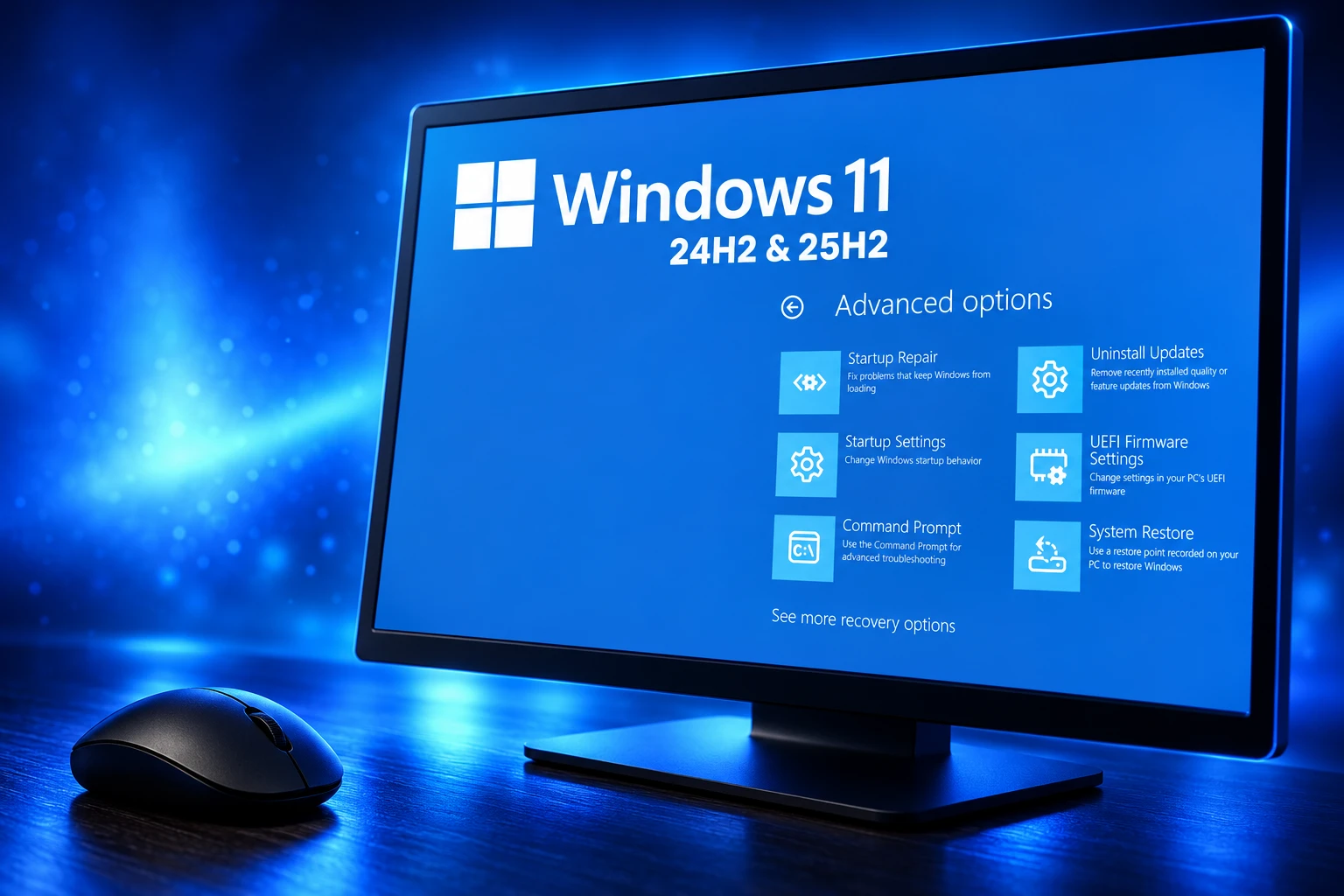
USB keyboards and mice still worked on the desktop. They died in the Windows Recovery Environment, the Safe OS that opens after failed boots, a Reset this PC request, or a manual trip through Troubleshoot. With no working HID stack, the recovery tiles were a picture you could stare at and not steer, unless the PC still had a touch screen.
Microsoft logged the resolved WinRE USB input issue on October 17, 2025, at 22:18 PT, three days after the security drop. The Windows 10 end of support page already told remaining Windows 10 PCs to move to Windows 11 or buy Extended Security Updates. The recovery menu on the new OS was, for that week, a dead end for anyone whose only input was USB.
THE WEEK WINRE LOST USB INPUT
- October 14, 2025: KB5066835 ships for Windows 11 24H2 and 25H2, and Windows 10 support ends.
- October 17, 2025: Microsoft opens the WinRE USB keyboard and mouse failure on the release-health dashboard at 22:18 PT.
- October 20, 2025: KB5070773 and KB5070762 ship at 14:00 PT and close the issue for those Windows 11 branches and Windows Server 2025.
WinRE is the on-disk safety net for Startup Repair, Uninstall Updates, UEFI firmware settings, and a full reset. A security update that leaves that menu unclickable does not just annoy enthusiasts. It removes the in-box path for a PC that will not reach the desktop, which is the only moment WinRE exists to handle.
Why Microsoft Needed Two Emergency Packages
A normal cumulative update services the running OS. WinRE is a compressed Windows image named winre.wim, stored on a recovery partition and booted as its own small OS. When a USB hub or xHCI driver in that image goes bad, patching the desktop is not the same job as patching recovery.
Microsoft therefore shipped two packages on October 20, 2025. The out-of-band update KB5070773 is a cumulative rollup that moves Windows 11 24H2 to 26100.6901 and 25H2 to 26200.6901, and it folds in the October 14 security fixes so a PC that missed KB5066835 still gets them. The Safe OS Dynamic Update KB5070762 rewrites the recovery image itself and leaves WinRE at version 10.0.26100.6901.
THE THREE OCTOBER PACKAGES
| Package | Shipped | Target | Job |
|---|---|---|---|
| KB5066835 | October 14, 2025 | Builds 26100.6899 and 26200.6899 | Monthly security update that broke USB input in WinRE |
| KB5070773 | October 20, 2025 | Builds 26100.6901 and 26200.6901 | Out-of-band cumulative that restores WinRE USB and includes the October 14 security fixes |
| KB5070762 | October 20, 2025 | WinRE 10.0.26100.6901 | Safe OS dynamic update that patches winre.wim, needs no restart, and cannot be removed |
The Safe OS file list is blunt about what changed. USBHUB3.SYS and USBXHCI.SYS, the USB hub and xHCI drivers inside recovery, carry version 10.0.26100.6901 and a stamp of October 17, 2025, the same calendar day Microsoft opened the issue. KB5070762 also replaces the earlier Safe OS package KB5067039, which is the servicing trail for how the broken USB stack got into WinRE in the first place.
You do not restart after the Safe OS package. You also cannot peel it off a Windows image once it has been applied. That is the trade for treating recovery as a second OS: the repair is a new WIM, not a toggle in Settings.
Touchscreens, PS/2 Ports, and a Drive You Already Made
Microsoft’s own workaround list is a hardware census of 1998. If the PC could still boot Windows, Windows Update would pull the new packages and the crisis ended after a restart of the main OS. If it could not, the published exits were the ports and media most Windows 11 machines no longer have sitting on the desk.
WAYS TO MOVE IN WINRE WITHOUT USB
- Touch screen: Use the on-screen keyboard in WinRE, which still received touch even while USB HID was dead.
- PS/2 port: A PS/2 keyboard or mouse still enumerated, on the shrinking set of boards that expose those sockets.
- Old recovery stick: A USB recovery drive created before the broken image was written boots a different WinRE that still accepts USB.
- Shop floor tools: OEMs and IT can recover boxes over PXE in Configuration Manager, or with Windows ADK and the WinPE add-on for push-button reset.
Almost no Windows 11 laptop ships a PS/2 port, and a desktop that qualifies for 24H2 or 25H2 is usually all USB. Telling a stuck owner to find a Mini-DIN keyboard is close to telling them to own a museum piece. The recovery stick advice is sound, and it only works if that stick was built before KB5066835 overwrote the local winre.wim. A drive you burn after the break can carry the same dead USB stack you are trying to escape.
The Fix Could Not Help a PC Already Stuck
That is the bitter edge of an out-of-band recovery patch. KB5070773 installs from Windows Update, from WSUS, or from the KB5070773 Update Catalog packages with DISM. All of those paths assume the PC can still reach a running OS, or that someone else can inject the MSU into an offline image. A machine that is already looping into WinRE, with a dark USB keyboard and no touch panel, cannot apply the medicine that restores the keyboard.
After installing the Windows security update released on October 14, 2025 (KB5066835), USB devices, such as keyboards and mice, do not function in the Windows Recovery Environment (WinRE). This issue prevents navigation of any of the recovery options within WinRE. Note that the USB devices continue to work normally within the Windows operating system.
Microsoft, Windows 11 KB5070773 release notes
On some PCs the out-of-band package first showed up as an optional Download and install card, not a mandatory restart. Skip that card, then hit a later boot failure, and the local recovery image is still the October 14 one. People were still hunting the package in January 2026 when they needed WinRE for some other mess, which is how an optional-looking OOB becomes a landmine months after the dashboard goes green.
BitLocker recovery is the ugly case. The BitLocker screen is supposed to be a keypad for a 48-digit key, not a hardware scavenger hunt. With USB dead, a desktop that prompts for that key in WinRE and has no PS/2 fallback is waiting for a touch panel, a pre-built recovery stick, or a second PC that can pull the key from a Microsoft account.
How to Confirm the WinRE Image Was Serviced
Build numbers on the desktop are the easy check. After KB5070773, version 24H2 reports 26100.6901 and version 25H2 reports 26200.6901, or a later monthly revision that superseded them. That number does not prove the recovery WIM moved. WinRE keeps its own version, and Microsoft’s target after KB5070762 was 10.0.26100.6901.
The supported check is to run reagentc /info from an elevated command prompt, note the Windows RE location, then run DISM /Get-ImageInfo against that winre.wim at index 1. Event Viewer also records WinREAgent servicing under Windows Logs, System; Event ID 4501 is the “Servicing succeeded” line, and it prints the new WinRE version when Windows Update rewrote the image.
Microsoft published a GetWinReVersion.ps1 script on the Safe OS page that mounts winre.wim, reads the file version of winpeshl.exe, then unmounts the image. Later Safe OS packages have kept moving that version number, so a healthy PC in 2026 can show a WinRE build well above 6901 and still include the USB repair. What you do not want is a desktop already past 26100.6901 whose recovery image is still sitting on the October 14 binaries.
IT shops that image offline media have a second job. The KB5070773 notes say that when you slipstream the cumulative into install media, the Safe OS dynamic update and Setup dynamic update should match that month, and if the same-month Safe OS package is missing you take the most recently published one. A golden image that received only the LCU can still boot a broken WinRE on the first failed setup.
Later Updates Still Carry the USB Repair
Microsoft closed the dashboard item with a simple rule: the October 20 out-of-band update, and updates released after that date, contain the USB fix. A PC that has taken any later 24H2 or 25H2 cumulative does not need to hunt KB5070773 by name. Windows Server 2025 took the same Safe OS package, classified in WSUS as an Update on the Microsoft Server operating system-24H2 product.
The leftover risk is a PC that never installed that week’s out-of-band package, then failed to boot, with no touch screen, no PS/2 port, and no recovery stick made in advance. Anyone current on Windows Update after October 20, 2025 already has the USB repair in the monthly stream, and the recovery image only stays broken if servicing never reached winre.wim.
Frequently Asked Questions
What Did Windows 11 KB5066835 Break in WinRE?
It broke USB human-interface devices inside the recovery image only. Reset this PC, Startup Repair, Uninstall Updates, and the button that opens UEFI firmware settings all sit behind that menu, so a dead keyboard and mouse meant those tools could not be chosen even though the WinRE tiles still drew on screen.
What Is the Difference Between KB5070773 and KB5070762?
KB5070773 is the running-OS cumulative, combined with servicing stack update KB5067360 at 26100.6893, and it is the package Windows Update shows to consumers. KB5070762 is the Safe OS dynamic update that patches winre.wim, installs with no restart, replaces KB5067039, and cannot be removed once it has been applied to a Windows image.
Which Windows Versions Lost USB Input in WinRE?
Microsoft listed Windows 11 version 25H2, Windows 11 version 24H2, and Windows Server 2025. For WSUS, the Safe OS package is offered under product Windows 11 with classification Update, and under Microsoft Server operating system-24H2 with the same classification.
How Do You Check That WinRE Picked Up the USB Fix?
From an elevated prompt, run reagentc /info, copy the Windows RE location, then run DISM /Get-ImageInfo /ImageFile:<that path>\winre.wim /index:1 and read the version. After KB5070762 the image reported 10.0.26100.6901; a later Safe OS package can show a higher number and still include the USB repair.
Can You Uninstall the Safe OS WinRE Update?
No. Microsoft’s KB5070762 notes say there are no prerequisites, a restart is not required, and the update cannot be removed once it is applied to a Windows image, which is why the verify-the-version steps matter more than Add/Remove Programs.

Windows 11 26H2 Turns Settings Backup On by Default

The Gears 2 PC Port Epic Refused to Ship

Ghost Recon Wildlands Returns at 4K as a Catalog Product

Waterpark Simulator Keeps the $12.99 Price After 1.0

Nurix Puts NuPlay on Microsoft Marketplace to Reach Azure Buyers

Warzone Leaves Xbox One and PS4 After Season 06

Microsoft AI Was Set Free to Build Its Own Frontier

Microsoft IQ Turns Workplace Data Into a Metered Agent Brain

Xbox Games Showcase 2026 Split the Catalog in Two

Nadella Banned Addiction Talk While Scout Kept Heartbeat
-
 NEWS5 months ago
Warzone Leaves Xbox One and PS4 After Season 06
-
 NEWS5 months ago
Microsoft AI Was Set Free to Build Its Own Frontier
-
 MICROSOFT 3655 months ago
Microsoft IQ Turns Workplace Data Into a Metered Agent Brain
-
 NEWS5 months ago
Xbox Games Showcase 2026 Split the Catalog in Two
-
 MICROSOFT 3655 months ago
Nadella Banned Addiction Talk While Scout Kept Heartbeat
-

 NEWS5 months ago
Modern Warfare 4 Splits Its Audience Before the October Launch
-

 NEWS5 months ago
Infinity Ward Bets Modern Warfare 4 on a Paid DMZ
-

 NEWS5 months ago
Dragonwilds Hits Xbox, but Steam Saves Stay Put