
NEWS
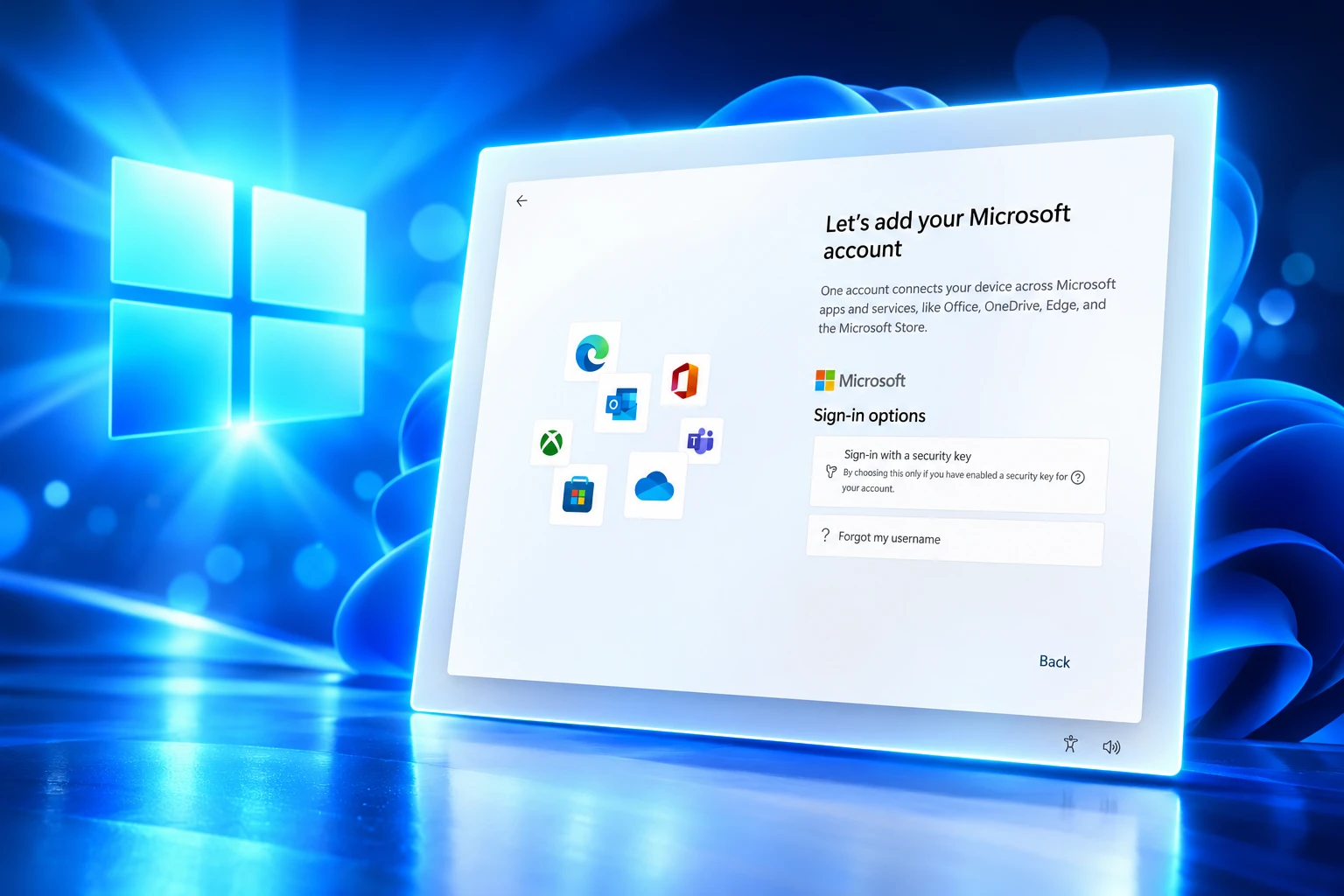
Windows 11 Still Forces a Microsoft Account at Setup
A Microsoft VP said he was working on dropping the Windows 11 Microsoft account rule. The quality list shipped. Setup still demands an online login.

A Microsoft vice president said in March that he hated forcing a Microsoft account on new Windows 11 PCs and was working on it. The company’s later quality updates still skip that change.
Pavan Davuluri, EVP of Windows and Devices, used a March 20, 2026 letter to promise a movable taskbar, fewer Copilot prompts, and quieter Windows Update. Scott Hanselman, VP and Member of Technical Staff, answered the one item that letter left out. Setup still starts with an online login.
Six Words on X Never Made the Quality List
Davuluri’s letter listed seven near-term items for Insiders that month and through April. It talked about taskbar placement, Copilot, updates, File Explorer, widgets, the Insider Program, and Feedback Hub. It did not mention a local account during the out-of-box experience, known as OOBE.
Someone asked Hanselman why the quality note skipped the rule that you must sign in with a Microsoft account just to use the PC. His reply on March 20 was six words.
Ya I hate that. Working on it
Scott Hanselman, VP and Member of Technical Staff, on X
https://x.com/shanselman/status/2035110958314745891
The same week he said a calmer OS with fewer upsells was a goal, and that he had been moved onto the Windows quality work. Those lines stayed personal. They never showed up as a bullet in Davuluri’s plan, including the July 31 follow-up that scored the March list.
The Quality Fixes That Did Reach Insiders
The official work was not empty. Davuluri’s initial changes previewed with Windows Insiders named performance, reliability, and well-crafted experiences as the year’s focus, and several of those items did move.
On May 15, Insiders in the Experimental channel got taskbar positions on the top and sides, a request Davuluri had called one of the top asks. File Explorer work in May targeted launch time, flicker, Home thumbnails, and the address bar. Widgets were set to quieter defaults. Copilot entry points were pulled back first from Snipping Tool, Photos, Widgets, and Notepad.
MARCH PROMISES VERSUS WHAT SHIPPED
| March 20 promise | Where it stood by July 31 |
|---|---|
| Taskbar on the top or sides | Previewing since May 15 in Experimental; broader rollout beginning fall 2026 |
| Fewer Copilot entry points in inbox apps | May preview framed as simplifying AI in those apps |
| Skip updates in OOBE, longer pauses, restart without updating | April 24 preview of those controls |
| Faster, more dependable File Explorer | May architecture and Home, address bar, and rename fixes |
| Quieter widgets and feeds | May preview, quieter by default |
| Simpler Insider Program | April shift to Experimental and Beta channels |
| Local account during Windows 11 setup | Not on the March list, and not on the July scorecard |
Aria Hanson, writing the April 24 update post, said she had read 7,621 direct notes on Windows Update. The changes that followed let you skip updates during OOBE, pause for up to 35 days and reset that pause as often as you need, and keep plain Restart and Shut down in the Power menu when an update is waiting. That is control over patches. It is not a way off the account screen.
Microsoft Already Pulled the Local-Account Commands
The hard part of this story sat in the product months before Hanselman typed those six words. On October 6, 2025, the Dev Channel notes for Build 26220.6772 (KB5065797) said the company was removing known mechanisms for creating a local account in OOBE. The same change went to Build 26120.6772 in Beta.
While these mechanisms were often used to bypass Microsoft account setup, they also inadvertently skip critical setup screens, potentially causing users to exit OOBE with a device that is not fully configured for use. Users will need to complete OOBE with internet and a Microsoft account, to ensure device is setup correctly.
Windows Insider Dev Channel notes, October 6, 2025
The same flight added a way to name the default user folder, with a 16-character cap, and it still told you to proceed with Microsoft account sign-in. The supported Shift+F10 path was for a folder name, not for skipping the account.
HOW THE ACCOUNT GATE TIGHTENED
- 2023: Windows 11 version 22H2 makes a Microsoft account part of setup for Home and Pro.
- October 6, 2025: Insider builds 26220.6772 and 26120.6772 drop known local-only OOBE commands, including the old bypass script and the local-only command that had replaced it.
- March 20, 2026: Davuluri publishes the quality letter; Hanselman says he hates the account rule and is working on it.
- April 24, 2026: OOBE gains a skip for updates, not a skip for the account.
- July 31, 2026: The quality scorecard adds faster onboarding and still does not list a local account.
- August 27, 2026: Windows 11 version 26H2 (Build 26300.9278) reaches Release Preview as an enablement package on the shared 24H2 and 25H2 branch.
By the time the quality campaign started, the easy in-setup escapes were already treated as defects. “Working on it” had to reopen a door the platform notes had just closed.
Who Can Still Skip the Microsoft Account?
Home still routes personal setup through an online account. Pro still has a work-or-school path that can land on Domain join instead, which creates a local user without the consumer Microsoft account screen. That split is why a clean Home install feels different from a Pro box in the same living room.
Guides and lab notes through 2026 keep pointing at USB tools and unattended files when the on-screen path is gone. Rufus can still build media that never raises the online-account prompt. A custom autounattend file can do the same for a scripted install. Results vary by build, which is the point: none of this is a button Microsoft put back on the first screen.
PATHS THAT STILL REACH A LOCAL ACCOUNT
- Windows 11 Pro: Choose set up for work or school, then Domain join instead, and create a local user without the consumer Microsoft account flow.
- Rufus USB: Testers still use the option that removes the online Microsoft account requirement when they write install media.
- Unattended setup: A custom answer file can define a local user before OOBE starts, which is how shops image PCs without clicking through ads.
- Closed in current OOBE: The old oobe\bypassnro script and start ms-cxh:localonly command were the known mechanisms named in the October 2025 notes.
PC builders still tell buyers the sign-in is mandatory, the same way it was not on Windows 10. Lab admins now treat the missing commands as a provisioning problem, not a party trick. People who want a local account are not short on recipes. They are short an official choice.
The Restriction Lives Only in Setup
You can add a local user after you reach the desktop, and Windows Update still runs on that account. The lock is the first-run funnel, not the account type the kernel will accept. That is why the October notes could say a PC without a Microsoft account is not fully configured, even though millions of local accounts keep working every day.
OOBE is where OneDrive backup, Copilot, Microsoft 365, widgets personalization, and Windows Hello enrollment get their first chance at you. A local account at that moment is a missed handoff into those products. A movable taskbar does not create that handoff. A forced sign-in does.
Other desktop systems still let you finish setup without a cloud ID. A Mac’s Setup Assistant can skip an Apple Account. Windows 11 Home, on a new PC with a network cable plugged in, does not offer the same off-ramp. Hanselman’s dislike of that gap is easy to believe. The services that sit behind the sign-in screen have a different scorecard.
That tension also shows up in other Windows 11 servicing work that still misses machines in the field, including Secure Boot fixes still failing on HP and Dell fleets. Quality can be real in the shell and still leave the first-boot identity rule untouched.
The New Onboarding Plan Stops at Speed
On July 31, Davuluri said many March items were rolling through Insiders and would go out more broadly across Windows 11 PCs beginning fall 2026. He then added four new quality areas through year end. Local accounts were not among them.
FOUR NEW QUALITY AREAS FROM JULY 31
- Onboarding and setup: A faster and more efficient out-of-box experience, with no local-account option named.
- Memory for 8GB and above: A smaller Windows memory footprint on the PCs people already own.
- Family: Faster family setup and easier parental controls, which still assume signed-in identities.
- Voice: More natural voice use across everyday apps.
Faster OOBE is a real request. Skipping the update pass during setup already landed in April. Braille displays that speak HID can now run over USB from the first screen, so a deaf-blind user can finish setup without extra drivers. Those are setup wins. They still end at a Microsoft account on Home.
Family setup and parental controls pull in the same direction. They get easier when every profile is already a cloud identity. Speed and family features can ship while the local-account button stays off the page, and that is the path the July letter describes.
26H2 Hits Release Preview Without a Local Button
Windows 11 version 26H2 reached the Release Preview Channel on August 27, 2026, as Build 26300.9278. Microsoft is shipping it as an enablement package on the shared servicing branch with 24H2 and 25H2, with general availability later in 2026. The notes talk about turning on features that were already in monthly updates, including settings backup and File Explorer work for commercial PCs. They do not add a local-account control to OOBE.
WHAT WE KNOW
- The March list: Davuluri’s quality letter never included a local account during setup.
- The October lock: Insider notes told users to finish OOBE with internet and a Microsoft account after known local commands were removed.
- The July OOBE plan: New onboarding work is described as faster and more efficient, not as a return of offline setup.
WHAT IS UNCONFIRMED
- A ship date: Hanselman has not posted a build, a preview channel, or a release that restores the option.
- Home parity: There is no public plan to put Pro’s Domain join style of local setup on Home.
- A policy change: No Windows blog post has reversed the October 2025 line that a Microsoft account is required for a correctly set up device.
The quality campaign did move the taskbar, quiet some Copilot chips, and put Restart back in the Power menu. The six-word reply from March is still the only public line from a Microsoft VP that treats the sign-in gate as a problem to fix. Until that line becomes a setup screen, a new Windows 11 PC still begins with an online account.

Windows 11 26H2 Turns Settings Backup On by Default

The Gears 2 PC Port Epic Refused to Ship

Ghost Recon Wildlands Returns at 4K as a Catalog Product

Waterpark Simulator Keeps the $12.99 Price After 1.0

Nurix Puts NuPlay on Microsoft Marketplace to Reach Azure Buyers

Warzone Leaves Xbox One and PS4 After Season 06

Microsoft AI Was Set Free to Build Its Own Frontier

Microsoft IQ Turns Workplace Data Into a Metered Agent Brain

Xbox Games Showcase 2026 Split the Catalog in Two

Nadella Banned Addiction Talk While Scout Kept Heartbeat
-
 NEWS5 months ago
Warzone Leaves Xbox One and PS4 After Season 06
-
 NEWS5 months ago
Microsoft AI Was Set Free to Build Its Own Frontier
-
 MICROSOFT 3655 months ago
Microsoft IQ Turns Workplace Data Into a Metered Agent Brain
-
 NEWS5 months ago
Xbox Games Showcase 2026 Split the Catalog in Two
-
 MICROSOFT 3655 months ago
Nadella Banned Addiction Talk While Scout Kept Heartbeat
-

 NEWS5 months ago
Modern Warfare 4 Splits Its Audience Before the October Launch
-

 NEWS5 months ago
Infinity Ward Bets Modern Warfare 4 on a Paid DMZ
-

 NEWS5 months ago
Dragonwilds Hits Xbox, but Steam Saves Stay Put