
NEWS
Snapdragon C Takes Aim at Intel’s Cheap Windows Laptops
Qualcomm’s Snapdragon C puts eight Kryo cores into Windows laptops aimed at $300, racing Intel’s N250 on battery while Acer’s first listing sits at £499.99.

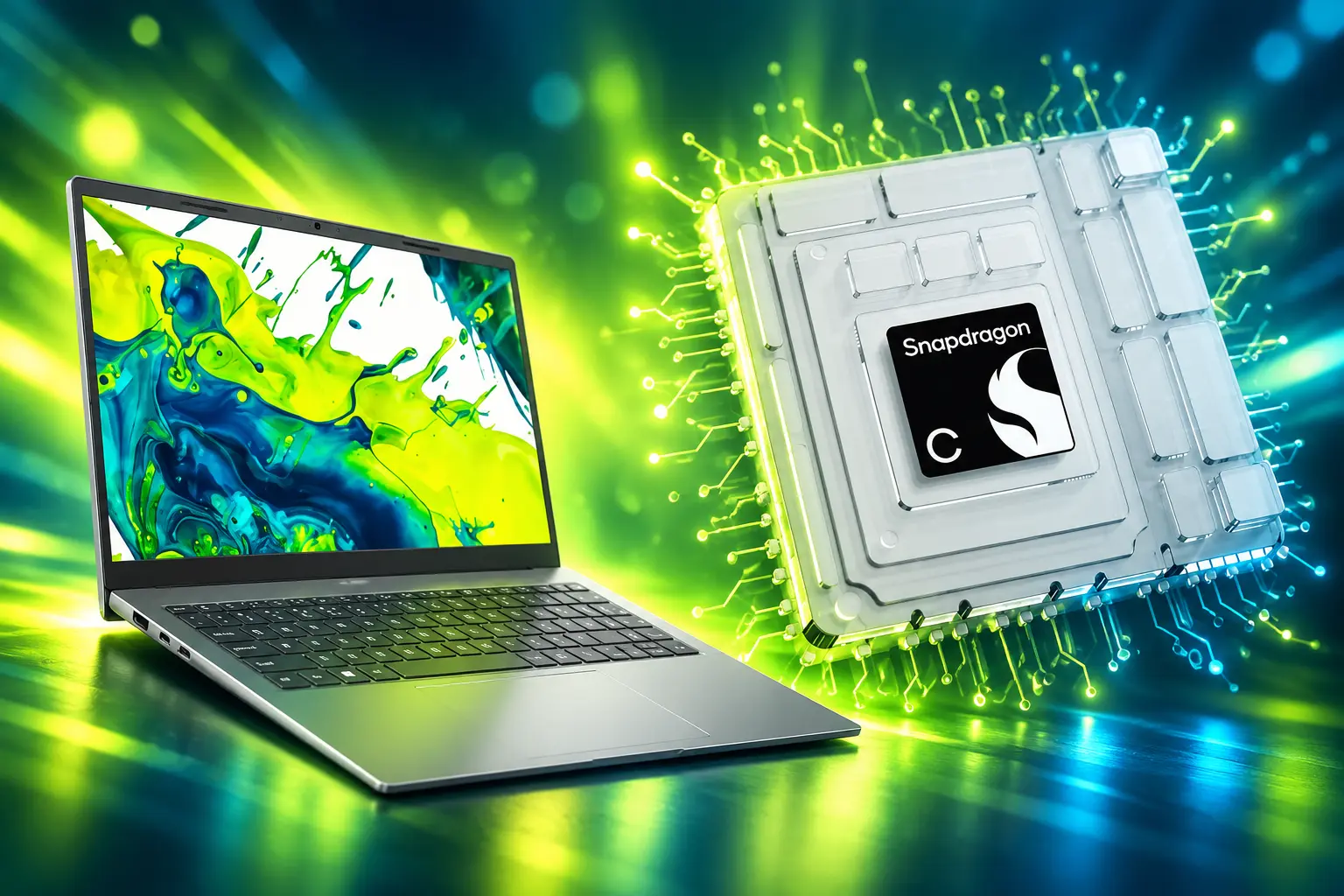
Qualcomm’s Snapdragon C is an eight-core Kryo chip for Windows laptops it says can start at $300. The first listed machine, Acer’s Aspire Go 15, is £499.99 in the UK with 8GB of RAM and 128GB of storage.
That gap is the story. Qualcomm spent two years selling Snapdragon X as the premium Arm Windows chip. Snapdragon C is the quieter play, a 6 nm phone-class part aimed at Intel’s N-series slot, measured on battery against the N250, and kept off Microsoft’s Copilot+ list.
Snapdragon C Puts Eight Kryo Cores in Cheap Windows Laptops
Qualcomm Technologies announced the Snapdragon C Platform on May 28, 2026, as a processor for entry-tier laptops targeting $300 and up. The pitch is web browsing, video streaming, office work, and video calls for students, families, and small shops, in machines that stay cool and quiet.
Full silicon details arrived on August 12, 2026. Qualcomm lists an eight-core Kryo CPU and Adreno A643 GPU, a Hexagon NPU, Wi-Fi 6 and 6E through FastConnect C6700, and USB 3.1. The cores are Kryo, not the custom Oryon design inside Snapdragon X and X2.
A Qualcomm spokesperson said the eight cores run at different peaks to balance power and speed: one core up to 3.0 GHz, three up to 2.6 GHz, and four up to 2.0 GHz, with a 2 GHz cap when all eight stay busy. Total cache is 2 MB. The GPU is clocked at 900 MHz and supports DirectX 12. Memory goes up to 16GB of LPDDR5, LPDDR5x, or LPDDR4x. Storage paths include PCIe 3.0 NVMe plus UFS 2.2 and 3.1.
WHAT QUALCOMM PUT ON THE C SHEET
- CPU layout: Eight 64-bit Kryo cores in a 1+3+4 clock split, 2 MB of cache.
- Graphics and video: Adreno A643 at 900 MHz; encode up to 4K at 30 fps, decode up to 4K at 60 fps.
- Displays: Internal eDP 1.4 up to Full HD+ at 120 Hz; external DisplayPort 1.4 up to 4K at 60 Hz.
- I/O ceiling: USB 3.1, up to two USB-C ports and two USB-A ports, Wi-Fi 6/6E, Bluetooth.
The NPU is a dedicated Hexagon block for on-device AI at this price. Qualcomm has not published a TOPS figure for it. That omission is how the platform stays out of Copilot+ while still carrying a Copilot key on the first keyboard.
What Qualcomm Claims Against Intel’s N250
The rival Qualcomm named is Intel’s Processor N250, a Twin Lake part launched in Q1 2025. Intel’s own spec sheet gives it four cores, 6 W, and a 3.8 GHz turbo, 6 MB of Smart Cache, and Intel Graphics with 32 execution units at up to 1.25 GHz. Max memory is 16 GB on a single channel. Base power is 6 W. There is no Copilot-class NPU; Intel lists Gaussian and Neural Accelerator 3.0.
Qualcomm’s comparison used a Snapdragon C reference design with 8GB against an Acer TravelMate with the N250 and 8GB. The company did not publish plugged-in scores. The on-battery numbers are the whole argument.
SNAPDRAGON C VERSUS INTEL N250
| Spec | Snapdragon C | Intel N250 |
|---|---|---|
| Cores / threads | 8 Kryo (1+3+4) | 4 / 4 |
| Peak clock | 3.0 GHz on one core | 3.8 GHz turbo |
| All-core hold | 2.0 GHz | Not listed as a sustain cap |
| Cache | 2 MB | 6 MB Smart Cache |
| Process | 6 nm | Intel 7 |
| GPU | Adreno A643, 900 MHz | Intel Graphics, 32 EUs, 1.25 GHz |
| NPU | Hexagon, TOPS not listed | GNA 3.0 |
| Memory | Up to 16 GB LPDDR5/5x or LPDDR4x | Up to 16 GB, one channel |
| On-battery claim | 67% faster than N250 | Baseline in Qualcomm’s slides |
Qualcomm also said Snapdragon C is up to 2.1 times more efficient in multithreaded Cinebench on battery, 106% better in Netflix through Microsoft Edge, 68% better in web browsing, and 74% better in a Teams call. Updated slides later dropped the idle-app efficiency comparison. The 68% web-browsing figure stayed. Until someone runs the same tests on a shipping Aspire Go 15, those numbers are Qualcomm’s, not a review lab’s.
Ryan Shrout, president and GM at Signal65, wrote that at $300 and up the direct fight is less Apple’s $599 MacBook Neo and more Chromebooks and budget x86, namely Intel’s N-series. That is the right map. Intel already sells the same 15.6-inch Aspire Go 15 family with an N100 from the US store at $249.99, in a 4GB and 128GB cut. Snapdragon C has to beat that kind of box on battery and noise, not on a keynote slide next to Snapdragon X2.
Acer’s Aspire Go 15 Is the First One Listed
Acer showed the Aspire Go 15 (AG15-Q31P) as the first Snapdragon C laptop. It is a conventional 15.6-inch clamshell with a 1920×1080 16:9 panel, a 53 Wh battery, Wi-Fi 6E, Bluetooth 5.4 or newer, a 1080p webcam, dual speakers, HDMI 1.4, two full-function USB-C ports, one USB-A port, and a 3.5mm jack. Memory is up to 8GB. Storage is up to 512GB. It runs Windows 11 Home and carries AcerSense, Acer My Key, and a Copilot key. Acer says the chassis uses post-consumer recycled plastic and is Energy Star certified and EPEAT registered.
At Computex, Windows Task Manager on a demo unit labeled the chip Snapdragon 8c Gen 3, showed eight cores, listed 3.01 GHz, and sat at 1.67 GHz idle. The GPU showed up as Adreno 8c Gen 3. The machine is actively cooled, with three exhaust ports facing the screen, so this is not a fanless Chromebook clone in a 15-inch shell.
The UK Amazon listing is the 8GB and 128GB configuration at £499.99, with a September 1, 2026 release and delivery from September 11, 2026. Valérie Piau, Acer’s vice president for EMEA, put the French 8GB and 512GB config at 499 euros. Qualcomm’s $300 line was always a platform floor, not a promise that this 15-inch Acer would be the $300 SKU.
FROM ANNOUNCEMENT TO FIRST LISTING
- May 28, 2026: Qualcomm announces Snapdragon C for $300-and-up Windows laptops, with Acer, HP, and Lenovo named.
- June 2, 2026: Computex opens; the Aspire Go 15 is shown, and Task Manager exposes the eight-core Kryo part.
- August 12, 2026: Qualcomm publishes the full C spec sheet and the N250 on-battery claims; Asus is added to the OEM list.
- August 20, 2026: Updated slides drop the idle-app efficiency comparison.
- September 1, 2026: The UK Aspire Go 15 listing goes live at £499.99 with 8GB and 128GB.
- September 11, 2026: First UK deliveries are scheduled to start.
128GB is a tight disk for Windows 11 Home plus Office and a browser profile. The SoC can take 16GB, but the first Acer does not. People who wanted this chip as a cheap Linux daily driver keep asking for 16GB in a smaller chassis; that config is not the one on the UK page.
The Copilot Key Does Not Clear Microsoft’s Bar
Microsoft’s Windows 11 spec page says Copilot+ PCs need a compatible SoC with an NPU capable of more than 40 TOPS, 16 GB of RAM, and 256 GB of SSD or UFS storage. The processor list on that page is AMD Ryzen AI 300 and 400 series, Intel Core Ultra 200V and 300V series, and Snapdragon X series. Snapdragon C is not on it.
The Aspire Go 15 fails on RAM even before TOPS. It ships with 8GB, and Copilot+ wants 16GB. The UK 128GB disk also sits under the 256GB floor. Qualcomm confirmed the platform is not built to meet Copilot+ rules around NPU performance and memory. The Hexagon block is there for lighter on-device tasks, not Recall-class features.
COPILOT+ HARDWARE BAR
- NPU floor: More than 40 TOPS; Snapdragon C has no published TOPS number.
- Memory floor: 16 GB DDR5 or LPDDR5; the Aspire Go 15 is an 8GB machine.
- Storage floor: 256 GB SSD or UFS; the UK listing is 128GB.
- SoC list: Snapdragon X, Ryzen AI 300/400, Core Ultra 200V/300V; C is absent.
That is why Snapdragon C skips Copilot+ certification and still ships with the Copilot key. The key launches the cloud assistant. It does not unlock the on-device Copilot+ set. Buyers who want those features are still in Snapdragon X, Core Ultra, or Ryzen AI machines, at a different price.
Phone Cores and a 6 nm Die Keep the Bill Down
Snapdragon X made its name on Oryon, Qualcomm’s custom laptop core. Snapdragon C goes back to Kryo, the CPU brand Qualcomm uses in phones. The Adreno A643 part number and the 1+3+4 Kryo split sit in the same family as Qualcomm’s older midrange phone silicon, built on 6 nm rather than the newer nodes under X2. Qualcomm did not call C a rebadge, and it has not published a die ID. The clocks are laptop clocks: 3.0 GHz on the lead core is higher than those phone parts usually advertised.
Nitin Kumar, vice president of product management for Snapdragon chipsets, said the company is leveraging technology from its mobile and PC portfolios, and that this is how it differs from x86 rivals that do not have a mobile platform. That is the cost argument in one sentence. A 6 nm Kryo eight-core with an older GPU and USB 3.1 is cheaper to put into a $300 design than an Oryon X chip that has to clear 40 TOPS and 16GB.
As costs rise and customer expectations evolve, Snapdragon C brings together value oriented computing, all-day battery life, AI capabilities and responsive performance in cool-quiet devices for expanded platform choice.
Kedar Kondap, Senior Vice President and General Manager of Compute and Gaming, Qualcomm Technologies
USB 3.1 is the unglamorous tell. Snapdragon X machines lean on faster USB and often on Wi-Fi 7. C tops out at USB 3.1 and Wi-Fi 6E. Internal panels stop at Full HD+ 120 Hz. External output stops at 4K 60 Hz. That does not matter for a student browser and a 1080p Zoom call. It does mean this is not a cut-down X. It is a different, cheaper stack.
Windows on Arm still has to run the apps people already own. Prism translation covers a lot of x86 software, and Office, Edge, and streaming services are fine. Qualcomm’s own brief for C does not pretend this is a video-edit or local-LLM box, and it is not a AAA gaming platform. The honest workload is the one Intel N-series already owns: tabs, docs, calls, Netflix.
Asus, HP, and Lenovo Are on the Slide Deck
The May 28 press note named Acer, HP, and Lenovo. When Qualcomm published specs in August it added Asus and said those four would announce PCs soon. Acer is the only one with a named model, a public spec sheet, and a store listing. HP, Lenovo, and Asus have not put a Snapdragon C SKU on a product page that we can price.
WHO HAS A MACHINE YOU CAN NAME
- Acer: Aspire Go 15 AG15-Q31P, 15.6-inch, 8GB, listed in the UK at £499.99 and in France at 499 euros.
- HP: Named as a partner in May; no Snapdragon C model announced.
- Lenovo: Named as a partner in May; no Snapdragon C model announced.
- Asus: Added on the August spec brief; no Snapdragon C model announced.
Chipmakers do not print the sticker. OEMs do, and memory plus flash have been expensive. A genuine $300 Windows laptop with 8GB and a 1080p panel is already a squeeze on Intel N100 and N150 boards. Putting Arm Windows, a new driver stack, and a 53 Wh cell into that envelope is harder. That is why the first Acer landed near 500 in pounds and euros, not at $300.
The other pressure is Chrome OS. School and family buyers at this money can still buy cheap Chromebooks still undercut Windows on sticker and battery, with Intel N100 and N150 or MediaTek Kompanio inside. Snapdragon C only wins that shopper if the Windows machine lasts a school day, stays quiet, and does not feel like a 128GB trap. Qualcomm’s slides argue the battery case against the N250. The UK disk size argues the other way.
First UK Deliveries Start on September 11
Qualcomm’s launch post kept the message simple: work, study, stream, and repeat on one charge, in cool, quiet entry-tier designs.
https://x.com/Snapdragon/status/2059986829701521610
UK customers who pre-ordered the 8GB and 128GB Aspire Go 15 are due to get machines from September 11, 2026. That is the first real Snapdragon C laptop on a doorstep, months after the $300 line and weeks after the spec dump. HP, Lenovo, and Asus still owe names and prices. Qualcomm still owes a TOPS number if it wants anyone to treat the Hexagon block as more than a checkbox.
The chip on the board is not a mystery anymore: eight Kryo cores, an Adreno A643, a 6 nm die, and a battery story aimed at Intel’s N250. The $300 Windows laptop is still the target on Qualcomm’s slide, not the number on Acer’s first ticket.

Windows 11 26H2 Turns Settings Backup On by Default

The Gears 2 PC Port Epic Refused to Ship

Ghost Recon Wildlands Returns at 4K as a Catalog Product

Waterpark Simulator Keeps the $12.99 Price After 1.0

Nurix Puts NuPlay on Microsoft Marketplace to Reach Azure Buyers

Warzone Leaves Xbox One and PS4 After Season 06

Microsoft AI Was Set Free to Build Its Own Frontier

Microsoft IQ Turns Workplace Data Into a Metered Agent Brain

Xbox Games Showcase 2026 Split the Catalog in Two

Nadella Banned Addiction Talk While Scout Kept Heartbeat
-
 NEWS5 months ago
Warzone Leaves Xbox One and PS4 After Season 06
-
 NEWS5 months ago
Microsoft AI Was Set Free to Build Its Own Frontier
-
 MICROSOFT 3655 months ago
Microsoft IQ Turns Workplace Data Into a Metered Agent Brain
-
 NEWS5 months ago
Xbox Games Showcase 2026 Split the Catalog in Two
-
 MICROSOFT 3655 months ago
Nadella Banned Addiction Talk While Scout Kept Heartbeat
-

 NEWS5 months ago
Modern Warfare 4 Splits Its Audience Before the October Launch
-

 NEWS5 months ago
Infinity Ward Bets Modern Warfare 4 on a Paid DMZ
-

 NEWS5 months ago
Dragonwilds Hits Xbox, but Steam Saves Stay Put